
WWDC 26 wasn’t what we expected. The event was far different than previous years, while Apple typically breaks down the event between iOS, iPadOS, macOS, etc., this year, the company focused on three different elements: design, privacy, and AI. While not breaking down all the Apple news we’ve covered on the site so far, I want to note some of the most important functionalities announced at WWDC.
Siri AI
One of the coolest features from WWDC is Siri AI, which Apple Intelligence powers. Siri AI is a new version of Siri that’s better integrated into iPhone, iPad, Mac, Apple Watch and Apple Vision Pro. This version of Siri is multimodal, which means users can speak with and type to it. It also offers onscreen awareness and is capable of reasoning across multiple apps. For example, if you ask Siri, “What is everyone bringing to the potluck?” Siri will look through your messages and bring up the results, and you can follow up with more questions, like, ” What’s a good wine pairing?” Siri knows you’re talking about the potluck query, takes those details and then searches the web.
You can customize the expressiveness and pace of Siri’s voice; it even seems like this feature includes accents.
Reframe
Powered by Siri AI, a new feature in Photos called Spatial Reframing enables users to change the perspective and angle of a picture after it’s been taken. Users can drag their finger to alter the virtual camera angle in real-time. After you’ve shifted the perspective, blurred edges will appear where the new angle requires background space that wasn’t in the original shot. Then Apple’s generative models automatically fill in the gaps while maintaining consistency with the original scene.
visionOS 27
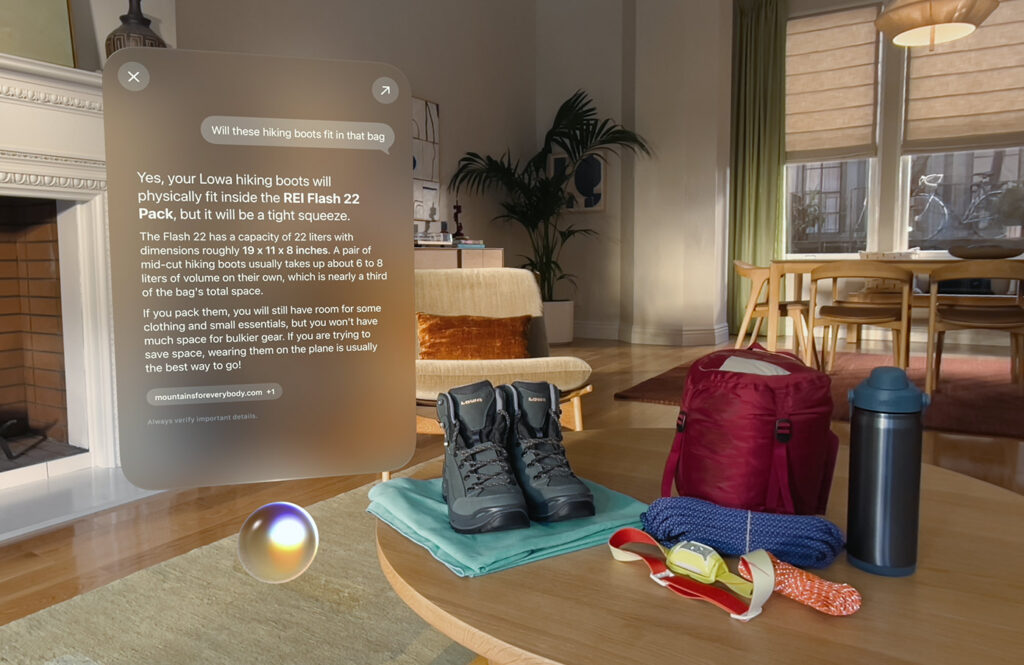
visionOS 27 gets a big update with the new capable Siri. Now you’re able to move Siri around the Vision Pro’s display. What’s cool about it is the ability to activate the assistant just by looking at it, and because of Visual Intelligence, Siri is seeing what you’re seeing. And you can turn a panorama photo into a spatial scene and set it as your own personal Spatial Environment.
Child Safety Features
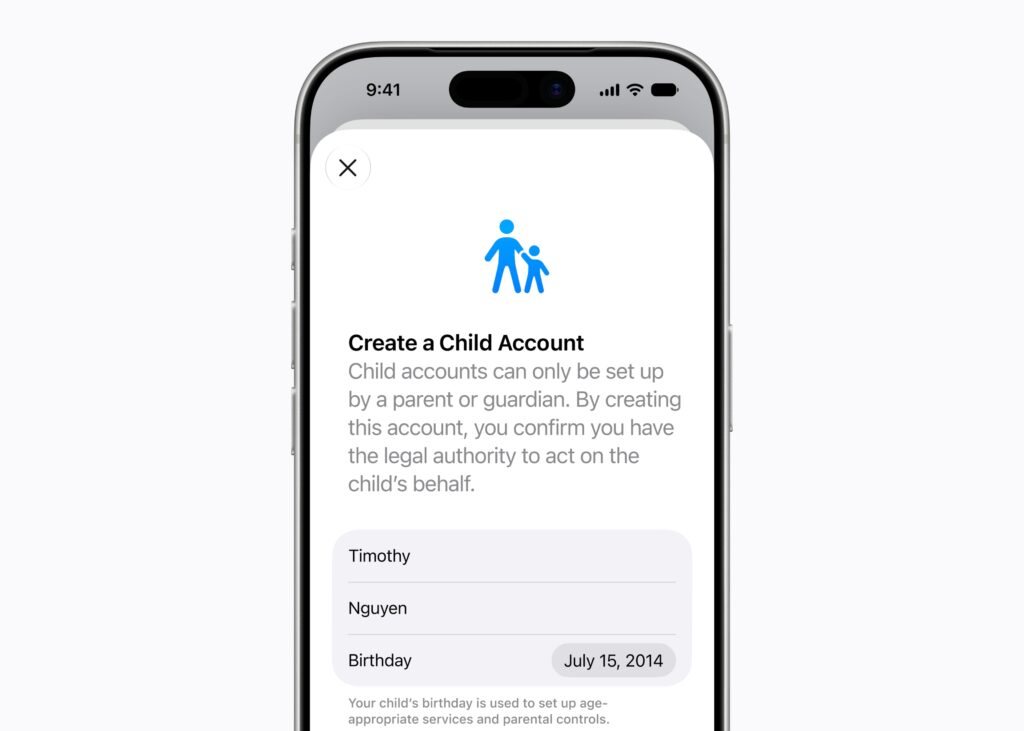
At WWDC, Apple announced a slate of features to keep kids safe. You can create a new Child Account, which is required for kids under 13, and available for children up to 18. Parents will now get a notification, which will give them the option to accept or decline when their kids are downloading apps, checking out a new website or before they make a purchase on an app. And parents can manage who their kids talk to via Messages, FaceTime and Phone, and Communication Safety will now intervene if gore, violence or nudity is spotted in shared images or videos.
For more on this, check out our full article about the Child Safety Features.
OS improvements
Apple also showed off some general refinements at WWDC. For instance, there’s now a slider that lets you control how clear your Liquid Glass looks. Additionally, it offers faster performance, such as app launches, quicker AirDrop transfers and other improvements to make your devices feel more responsive. And smoother network transitions, so you’ll stay connected when moving from Wi-Fi to cellular, on iPhone and iPad.
Bonus: Shortcuts + Siri AI
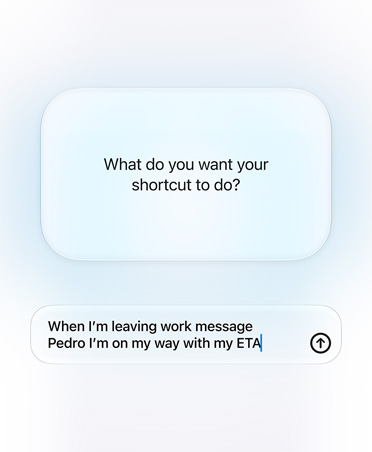
Okay, this one is probably one of my favourite updates. I don’t know why, but I could never figure out the Shortcuts app. I’ve reviewed tons of Android devices over the years, so when I started also using Apple devices, I was intrigued by Shortcuts, but it never did what I wanted (definitely user error; I’ve seen people do pretty cool things with it). Eventually, I gave up on ever trying to use it, but with Siri AI integrated, you’re now able to describe a shortcut. The example they gave with Shortcuts, “when I’m leaving work message Pedro I’m on my way with my ETA,” is an awesome update that some people may find useless, especially if they have all their favourite Shortcuts, but this might be a game-changer for me.
Check out all of MobileSyrup’s WWDC 2026 coverage to learn more.
