Close Menu

    Subscribe to Updates

    Get the latest creative news from FooBar about art, design and business.

    What's Hot

    Kendall Jenner And Jacob Elordi Cozy Up During Concert Date

    July 26, 2026

    2 wildfires burning near Clinton, B.C., merge

    July 26, 2026

    Hugging Face CEO calls for ‘radical transparency’ after ‘unprecedented’ OpenAI hack

    July 26, 2026
    Facebook X (Twitter) Instagram
    Select Language
    Facebook X (Twitter) Instagram
    NEWS ON CLICK
    Subscribe
    Sunday, July 26
    • Home
      • United States
      • Canada
      • Spain
      • Mexico
    • Top Countries
      • Canada
      • Mexico
      • Spain
      • United States
    • Politics
    • Business
    • Entertainment
    • Fashion
    • Health
    • Science
    • Sports
    • Travel
    NEWS ON CLICK
    Home»Science & Technology»US Science & Tech»Android Auto Has A Developer Menu You Can Access In Seconds
    US Science & Tech

    Android Auto Has A Developer Menu You Can Access In Seconds

    News DeskBy News DeskJuly 26, 2026No Comments4 Mins Read
    Share Facebook Twitter Pinterest Copy Link LinkedIn Tumblr Email VKontakte Telegram
    Android Auto Has A Developer Menu You Can Access In Seconds
    Share
    Facebook Twitter Pinterest Email Copy Link

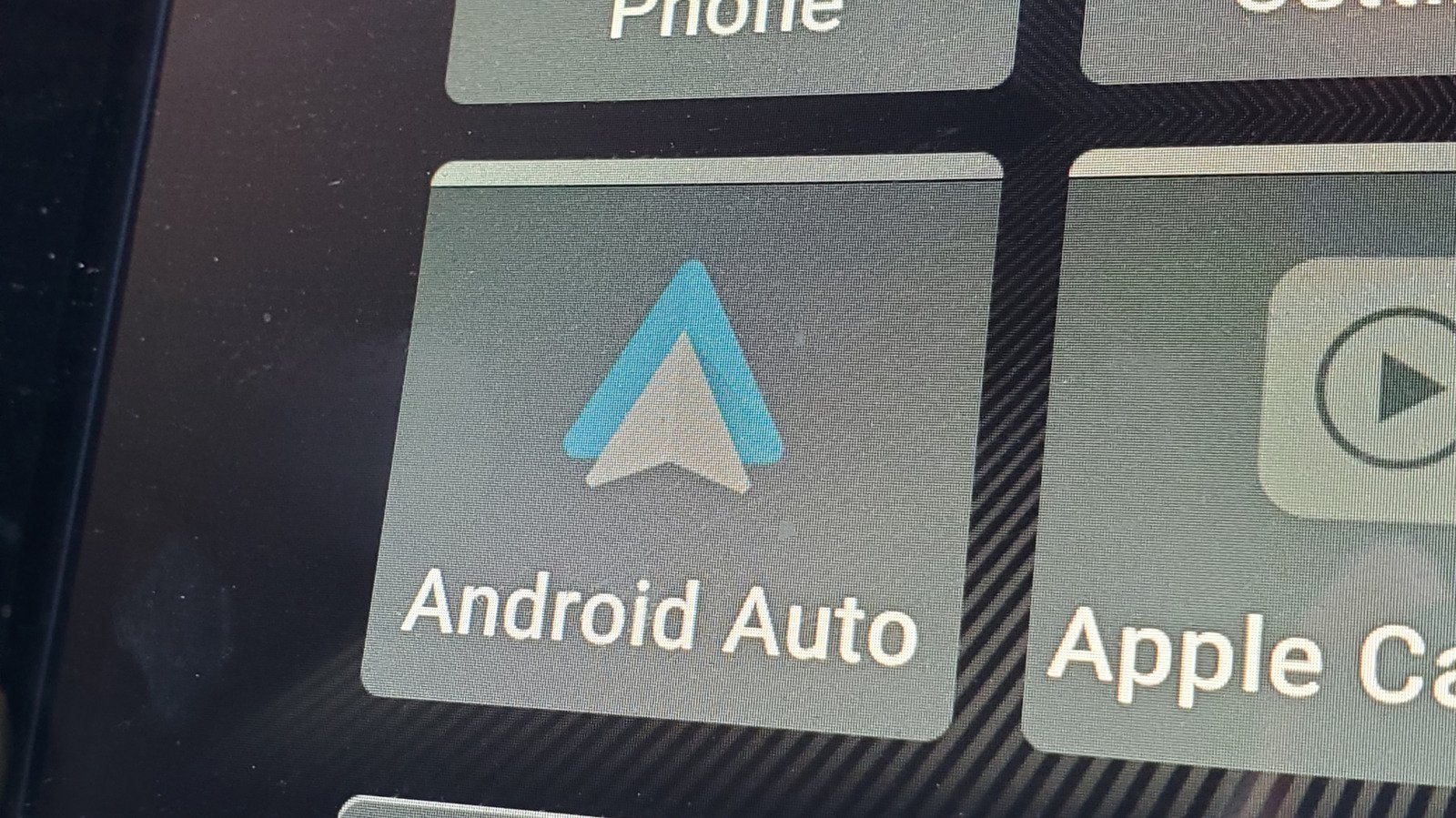
    If you want to tweak your Android Auto settings, this is a good place to check.


    Smith Collection/gado/Getty Images

    Android Auto does a solid job of mirroring your phone’s most useful apps on your car’s infotainment screen. From maps to music and messaging, Android Auto handles the expected tasks just fine. But buried inside the app is a developer menu that most haven’t even seen, let alone used.

    Android Auto’s hidden developer menu unlocks quite a few powerful settings, starting with a wireless toggle and an “Unknown Sources” option that lets non-Play Store apps run on your car’s display. But how do you even get to access these features?

    Where to find Android Auto’s secret menu?
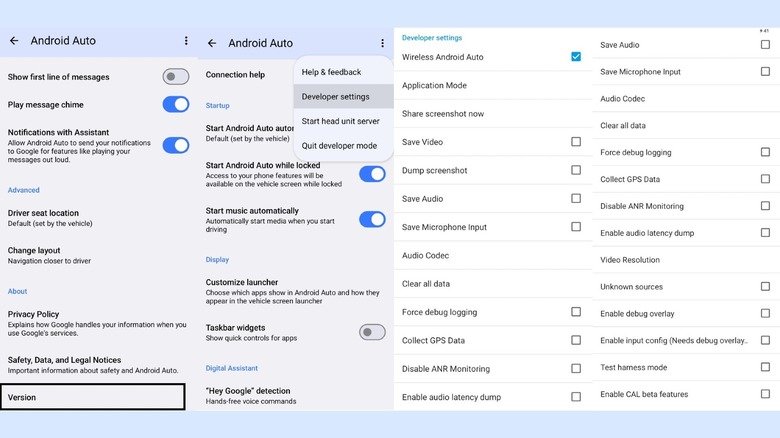

    Screenshots of the Android Auto Developer settings
    Gabriela Vatu

    Accessing Android Auto’s hidden display settings takes less than a minute and it’s actually not that difficult to find. Here’s how to do it:

    1. Open your phone’s Settings and search for Android Auto. Alternatively, go to Settings > Connected Devices > Android Auto.

    2. Scroll all the way to the bottom of the page.

    3. Tap Version and permission info about 10 times in quick succession.

    4. The phone will ask for confirmation if you want to allow developer settings, so press to confirm.

    5. Scroll back to the top of the Android Auto menu and tap the three-dot menu in the upper corner.

    6. Select Developer settings and you’re in.

    Note that the exact menu names can vary slightly depending on your device.

    How can I enable Android Auto’s hidden display settings?

    The developer menu comes with a wide range of settings to choose from. Here are some of the features you’ll find useful.

    Wireless Android Auto toggle

    The setting controls whether Android auto can connect to your car or a wireless adapter without a cable. The box should be checked by default, but if it isn’t, you can enable it manually. If you are having trouble connecting wirelessly, check here first, as toggling the setting off and back on again often resolves stubborn connectivity issues.

    Unknown sources

    There’s a hidden gem among these developer settings. Much like Android’s standard sideloading option, enabling Unknown Sources in Android Auto’s developer menu allows apps that aren’t listed on the Google Play Store to appear on your car’s display. CarStream and Fermata Auto, for instance, let you stream YouTube on the infotainment screen. We get why Android Auto doesn’t allow such apps by default, but we also understand the desire to stream YouTube while you’re waiting for kids’ sports practice to be over.

    Force video resolution

    When you connect your phone to your car, it automatically negotiates a video resolution with your car’s infotainment system. Sometimes, the system plays it too safe so you get a blurry interface even on a high-end dashboard. Well, the Video Resolution option makes it possible to force a higher output to sharpen icons, maps and text.

    Developer features to avoid

    Unless you’re trying to record a video of whatever’s on your screen for a short time, enabling the options to save video, save audio and microphone input isn’t advisable as these will put a strain on your phone’s processor, causing the device to heat up, drain battery and eat up internal storage.

    Is Android Auto’s developer menu worth exploring?
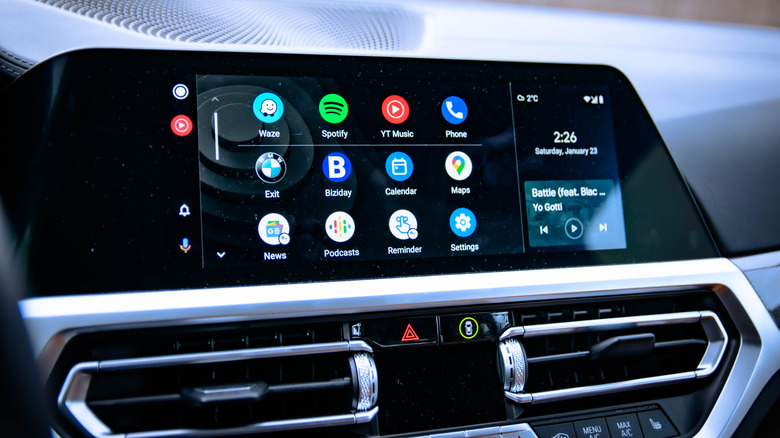

    Android Auto on car infotainment system
    Gabriel Nica/Shutterstock

    For most drivers, enabling Unknown Sources and checking the wireless toggle are two actions worth taking. While it’s understandable why Google is blocking off apps that take over the infotainment screen with YouTube vids, it’s clear there’s an interest for this given the number of apps. Third-party apps are filling gaps that Google hasn’t officially addressed.

    The developer menu won’t transform Android Auto overnight, but it does hand you a level of control that Google hasn’t advertised. While some of them are great to have, others are definitely not meant for everyday use. Still, a few taps and you’ll know more about Android Auto than most people who use it every day.

    Share. Facebook Twitter Pinterest LinkedIn Tumblr Email Telegram Copy Link
    News Desk
    • Website

    News Desk is the dedicated editorial force behind News On Click. Comprised of experienced journalists, writers, and editors, our team is united by a shared passion for delivering high-quality, credible news to a global audience.

    Related Posts

    US Science & Tech

    Hugging Face CEO calls for ‘radical transparency’ after ‘unprecedented’ OpenAI hack

    July 26, 2026
    US Science & Tech

    Your Apple Watch Calorie Tracker Is An Educated Guess, Not A Fact

    July 26, 2026
    US Science & Tech

    The Reason Why The MacBook Air Doesn’t Need A Fan

    July 26, 2026
    US Science & Tech

    Monday.com is the latest tech company to blame AI for layoffs — here are 20 others

    July 26, 2026
    US Science & Tech

    Warner Bros. lawsuit accuses Amazon of illegally poaching executives

    July 25, 2026
    US Science & Tech

    The hacker who humiliated spyware makers and was never caught

    July 25, 2026
    Add A Comment
    Leave A Reply Cancel Reply

    Don't Miss

    Kendall Jenner And Jacob Elordi Cozy Up During Concert Date

    News DeskJuly 26, 20260

    Kendall Jenner and Jacob Elordi are doing little to quiet speculation surrounding their reported romance.…

    2 wildfires burning near Clinton, B.C., merge

    July 26, 2026

    Hugging Face CEO calls for ‘radical transparency’ after ‘unprecedented’ OpenAI hack

    July 26, 2026

    ‘RHOM’ Larsa Pippen Has Fans Saying She’s Unrecognizable

    July 26, 2026
    Tech news by Newsonclick.com
    Top Posts

    Teach Your AI How You Make Decisions

    June 25, 2026

    Celebrity Family Feud Promises Its Biggest Season Yet Starting July 9

    June 26, 2026

    Why everyone from OpenAI to SpaceX is building their own chips (and turning up the heat on Nvidia)

    June 26, 2026

    Steve Lacy taps SZA for new single “is it cool?”

    June 26, 2026
    Stay In Touch
    • Facebook
    • Twitter
    • Pinterest
    • Instagram
    • YouTube
    • Vimeo

    Subscribe to Updates

    Get the latest creative news from SmartMag about art & design.

    Editors Picks

    Kendall Jenner And Jacob Elordi Cozy Up During Concert Date

    July 26, 2026

    2 wildfires burning near Clinton, B.C., merge

    July 26, 2026

    Hugging Face CEO calls for ‘radical transparency’ after ‘unprecedented’ OpenAI hack

    July 26, 2026

    ‘RHOM’ Larsa Pippen Has Fans Saying She’s Unrecognizable

    July 26, 2026
    About Us

    NewsOnClick.com is your reliable source for timely and accurate news. We are committed to delivering unbiased reporting across politics, sports, entertainment, technology, and more. Our mission is to keep you informed with credible, fact-checked content you can trust.

    We're social. Connect with us:

    Facebook X (Twitter) Instagram Pinterest YouTube
    Latest Posts

    Kendall Jenner And Jacob Elordi Cozy Up During Concert Date

    July 26, 2026

    2 wildfires burning near Clinton, B.C., merge

    July 26, 2026

    Hugging Face CEO calls for ‘radical transparency’ after ‘unprecedented’ OpenAI hack

    July 26, 2026

    Subscribe to Updates

    Get the latest creative news from FooBar about art, design and business.

    Facebook X (Twitter) Instagram Pinterest
    • About Us
    • Editorial Policy
    • Privacy Policy
    • Terms and Conditions
    • Disclaimer
    • Advertise
    • Contact Us
    © 2026 Newsonclick.com || Designed & Powered by ❤️ Trustmomentum.com.

    Type above and press Enter to search. Press Esc to cancel.