Close Menu

    Subscribe to Updates

    Get the latest creative news from FooBar about art, design and business.

    What's Hot

    Greta Lee Opens Up About ‘Late Fame’ And Why Its Meant For Her

    July 30, 2026

    La pareja de Ayuso pone a la venta el piso en el que vive con la presidenta

    July 30, 2026

    Top CFL Fantasy plays at every position for Week 9

    July 30, 2026
    Facebook X (Twitter) Instagram
    Select Language
    Facebook X (Twitter) Instagram
    NEWS ON CLICK
    Subscribe
    Thursday, July 30
    • Home
      • United States
      • Canada
      • Spain
      • Mexico
    • Top Countries
      • Canada
      • Mexico
      • Spain
      • United States
    • Politics
    • Business
    • Entertainment
    • Fashion
    • Health
    • Science
    • Sports
    • Travel
    NEWS ON CLICK
    Home»Science & Technology»US Science & Tech»How To Use Screen Mirroring On Roku With Your Android Phone
    US Science & Tech

    How To Use Screen Mirroring On Roku With Your Android Phone

    News DeskBy News DeskJuly 30, 2026No Comments5 Mins Read
    Share Facebook Twitter Pinterest Copy Link LinkedIn Tumblr Email VKontakte Telegram
    How To Use Screen Mirroring On Roku With Your Android Phone
    Share
    Facebook Twitter Pinterest Email Copy Link

    You can even use your Roku like a PC, if you have the right phone.


    Meir Chaimowitz/Shutterstock

    One of the best things about owning a Roku TV or streaming box is the ability to easily integrate it with the rest of your tech setup. While having streaming apps a remote-click away is handy, so is being able to control the TV from a smart speaker or smartphone. Best of all, you can quickly mirror your phone’s screen to the TV.  Screen mirroring your Android phone to a Roku device can be a convenient way to enjoy your local media or show friends your vacation photos on the big screen. It can also help you give slide presentations or even take part in a video conference.

    Roku makes the process of connecting your Android phone an easy one, assuming both devices support the Miracast protocol. Along with the ability to use your own headphones, it’s one of the features that makes Roku compelling for those who haven’t dumped it yet on account of a pending acquisition by Fox. While very few Roku devices appear to lack support for screen mirroring, certain Android devices may not support Miracast natively. The most notable exceptions are Google Pixels, which use the Google Cast and DIAL protocols but do not support Miracast. You may still be able to cast individual apps, such as YouTube or Netflix, which support DIAL.

    Below, we’ll cover how to mirror your screen to a Roku from the most popular Android devices that support casting  — namely, Samsung Galaxy phones and tablets. But if you have a different brand, you’ll find similar capabilities under different names if you poke around in your settings. For example, LG phones have Screen Share, and on OnePlus devices, you’ll find Screen Projection. If you have a Pixel, however, you’re out of luck. Google’s phones do not support the Miracast protocol needed to mirror to Roku.

    We’ll also discuss how to solve minor issues that can occur when establishing a casting connection, and how to expand functionality even further for devices that support a full desktop mode with an external display on Android.

    Mirror your screen or cast individual apps from Android to Roku
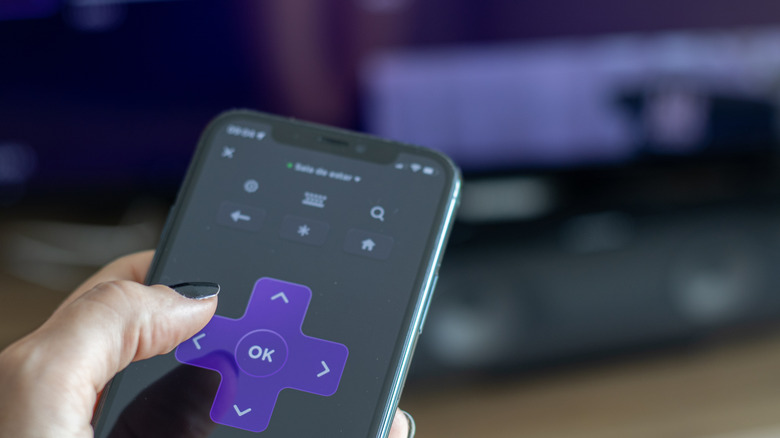

    Roku app remote screen on smartphone
    renata colella/Shutterstock

    Head to the settings menu on your Roku, which can be accessed from the text menu on the left side of the home screen. Scroll down and select System > Screen mirroring > Screen mirroring mode. Choose either Always Allow or Prompt, but only choose the former if your Wi-Fi network is private and secure. Finally, make sure that your phone is on the same network as the Roku you’re mirroring to.

    If you’re using a Samsung Galaxy device, you can now mirror your screen with just a couple of swipes (for other brands, consult your device’s documentation). Swipe down from the top right of your phone’s screen to open the quick settings panel, then select Smart View. Alternatively, tap Settings > Connected Devices > Smart View. Once you’re in the Smart View interface, it will begin to scan for nearby wireless displays. Select your Roku device when its name shows up onscreen, then tap Start Now if prompted for confirmation. Other brands should have a similar mirroring option in their pull-down menus.

    While mirroring, a Smart View pill will hover on the screen of your phone, and tapping it will surface a context menu. If you’re just mirroring media from a single app, say, Netflix, and don’t want other apps or notifications to show up on the big screen, tap Cast Netflix Only. This lets you browse your phone and receive notifications as usual while only mirroring your app of choice. If the video is letterboxed on your TV screen, tap the Smart View pill again, and tap Change Aspect Ratio.

    If you don’t hear audio from a video or other source and have made sure the volume is up on both devices, swipe into quick settings and tap Media Output inside of the now-playing media pill, then ensure your Roku is selected.

    Roku allows Samsung Galaxy owners to use wireless DeX for a full desktop experience
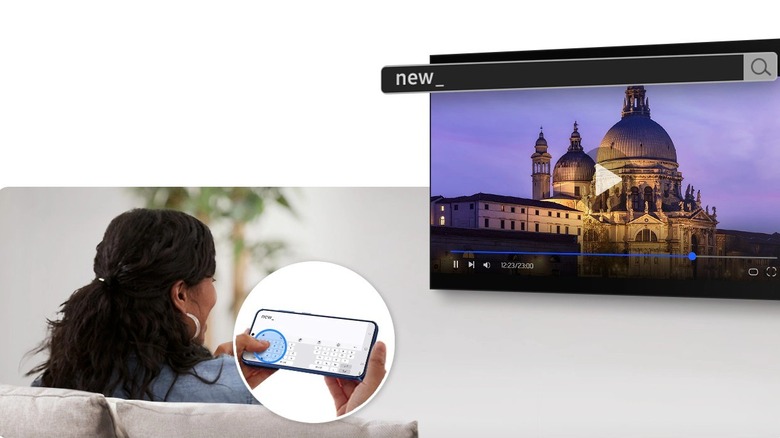

    Woman controls wireless Samsung DeX instance on a TV
    Samsung

    Samsung Galaxy smartphones have access to a user-favorite feature called DeX, which turns Android into a Windows-like desktop experience. The phone becomes a touchpad and keyboard for the interface (look for a corner square icon to show up when DeX is active), or you can connect a Bluetooth mouse and keyboard. (Something similar may be coming to Google’s Android skins in the nebulous future.) Normally, DeX activates when you plug the phone into an external display, but it can also be triggered by connecting to a wireless display, including a Roku.

    To cast your screen to a Roku in DeX mode, open quick settings by swiping down from the top right of your screen and tapping the Wireless DeX toggle. Alternatively, go to Settings > Connected Devices > Samsung DeX > Connect Wirelessly. The phone will scan for nearby displays, which can take a few moments. Once your Roku device shows up, tap on it, then tap Start Now, and DeX will launch wirelessly on the TV.

    In our testing, we’ve found that there can be considerable lag while using DeX wirelessly. If you’re experiencing sluggishness, setting your TV’s picture mode to gaming can sometimes make things a bit more responsive.

    Share. Facebook Twitter Pinterest LinkedIn Tumblr Email Telegram Copy Link
    News Desk
    • Website

    News Desk is the dedicated editorial force behind News On Click. Comprised of experienced journalists, writers, and editors, our team is united by a shared passion for delivering high-quality, credible news to a global audience.

    Related Posts

    US Science & Tech

    Netflix lands global streaming deal for ‘The Walking Dead’

    July 30, 2026
    US Science & Tech

    FTC sues Hims & Hers for allegedly sharing patients’ medical data with advertisers Meta and Snap

    July 30, 2026
    US Science & Tech

    Nano Banana Image Generation Comes To Google Earth

    July 30, 2026
    US Science & Tech

    The Global Oil Crisis Is Pushing People Toward Buying Electrified Cars

    July 30, 2026
    US Science & Tech

    ChatGPT And Roblox Will Reportedly Be Subject To Tighter Rules In The EU

    July 30, 2026
    US Science & Tech

    Microsoft is openly competing with OpenAI, Anthropic more than ever

    July 30, 2026
    Add A Comment
    Leave A Reply Cancel Reply

    Don't Miss

    Greta Lee Opens Up About ‘Late Fame’ And Why Its Meant For Her

    News DeskJuly 30, 20260

    Following a string of acclaimed performances in recent years, Greta Lee is set to return…

    La pareja de Ayuso pone a la venta el piso en el que vive con la presidenta

    July 30, 2026

    Top CFL Fantasy plays at every position for Week 9

    July 30, 2026

    Government executives received $200M in bonuses in 2025

    July 30, 2026
    Tech news by Newsonclick.com
    Top Posts

    Woman, Mom Arrested W/ Yung Miami ‘Spend Dat’

    June 30, 2026

    Graeme Swann names only England bowler who could trouble Vaibhav Suryavanshi ahead of 1st T20I

    June 30, 2026

    Does Condensed Milk Go Bad? Shelf Life and Storage

    June 30, 2026

    US Retailers Frontload China Orders to Beat Tariffs for Holiday Season

    June 30, 2026
    Stay In Touch
    • Facebook
    • Twitter
    • Pinterest
    • Instagram
    • YouTube
    • Vimeo

    Subscribe to Updates

    Get the latest creative news from SmartMag about art & design.

    Editors Picks

    Greta Lee Opens Up About ‘Late Fame’ And Why Its Meant For Her

    July 30, 2026

    La pareja de Ayuso pone a la venta el piso en el que vive con la presidenta

    July 30, 2026

    Top CFL Fantasy plays at every position for Week 9

    July 30, 2026

    Government executives received $200M in bonuses in 2025

    July 30, 2026
    About Us

    NewsOnClick.com is your reliable source for timely and accurate news. We are committed to delivering unbiased reporting across politics, sports, entertainment, technology, and more. Our mission is to keep you informed with credible, fact-checked content you can trust.

    We're social. Connect with us:

    Facebook X (Twitter) Instagram Pinterest YouTube
    Latest Posts

    Greta Lee Opens Up About ‘Late Fame’ And Why Its Meant For Her

    July 30, 2026

    La pareja de Ayuso pone a la venta el piso en el que vive con la presidenta

    July 30, 2026

    Top CFL Fantasy plays at every position for Week 9

    July 30, 2026

    Subscribe to Updates

    Get the latest creative news from FooBar about art, design and business.

    Facebook X (Twitter) Instagram Pinterest
    • About Us
    • Editorial Policy
    • Privacy Policy
    • Terms and Conditions
    • Disclaimer
    • Advertise
    • Contact Us
    © 2026 Newsonclick.com || Designed & Powered by ❤️ Trustmomentum.com.

    Type above and press Enter to search. Press Esc to cancel.