Close Menu

    Subscribe to Updates

    Get the latest creative news from FooBar about art, design and business.

    What's Hot

    Former Ottawa Redblacks coach William Fields rebuts claim he ignored schematic suggestions

    August 26, 2026

    Ishan Kishan opens up on potential comeback to India’s Test side amid SL vs IND series

    August 26, 2026

    Mexican Makeup Label Sarelly Raises $3 Million

    August 26, 2026
    Facebook X (Twitter) Instagram
    Select Language
    Facebook X (Twitter) Instagram
    NEWS ON CLICK
    Subscribe
    Wednesday, August 26
    • Home
      • United States
      • Canada
      • Spain
      • Mexico
    • Top Countries
      • Canada
      • Mexico
      • Spain
      • United States
    • Politics
    • Business
    • Entertainment
    • Fashion
    • Health
    • Science
    • Sports
    • Travel
    NEWS ON CLICK
    Home»Science & Technology»US Science & Tech»How To Transfer Data From Your Old iPhone To A New One
    US Science & Tech

    How To Transfer Data From Your Old iPhone To A New One

    News DeskBy News DeskAugust 26, 2026No Comments4 Mins Read
    Share Facebook Twitter Pinterest Copy Link LinkedIn Tumblr Email VKontakte Telegram
    How To Transfer Data From Your Old iPhone To A New One
    Share
    Facebook Twitter Pinterest Email Copy Link

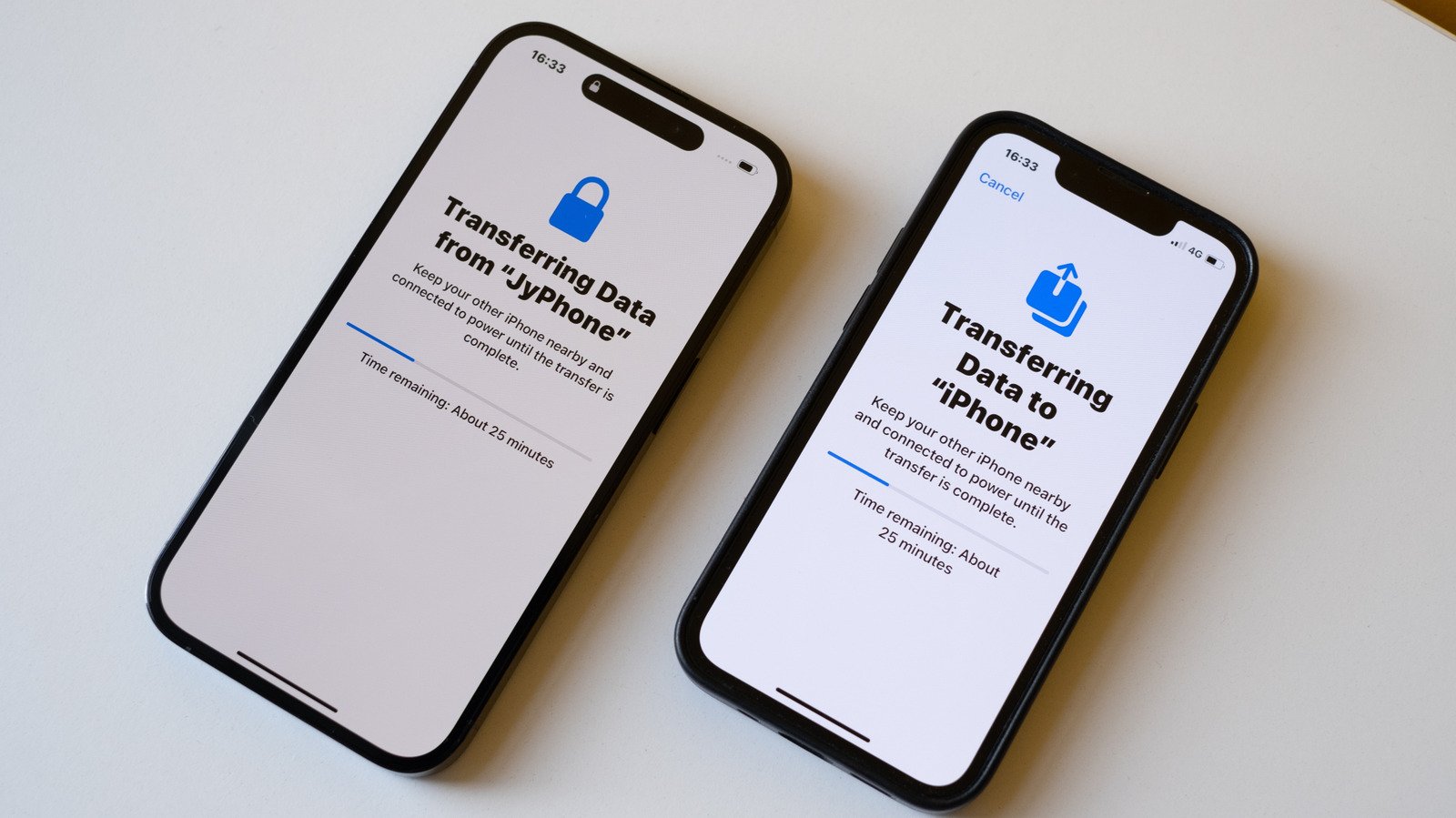
    Quick Start makes things a lot easier.


    Karlis Dambrans/Shutterstock

    Until a few years ago, setting up a new iPhone always meant losing something. Half your settings gone. Some apps needed reinstalling from scratch and you wouldn’t know until you went looking for them. Some people just gave up and started from zero. Years of app data gone. Apple fixed most of that with Quick Start.

    Unlike before, when you needed a Mac or PC to back up your iPhone and transfer data to a new one, Quick Start does it all wirelessly. It’s as simple as placing the two devices next to each other and then following a few steps to transfer everything: contacts, photos, messages and even app settings. And if for some reason wireless isn’t working for you, connecting the two iPhones with a cable can fix everything.

    Using Quick Start to move your data between iPhones
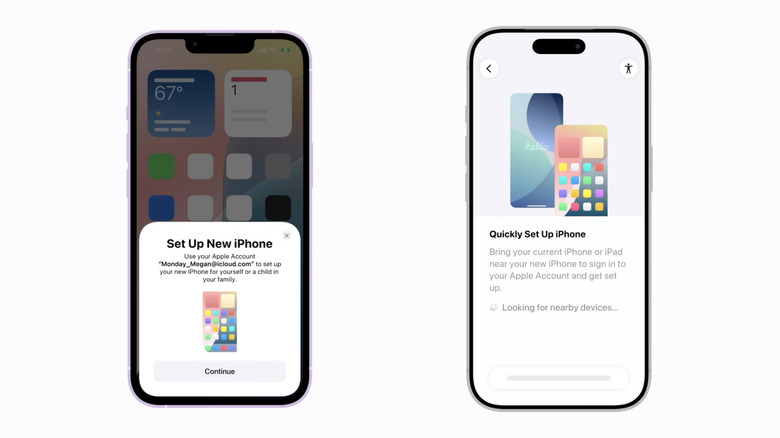

    Setting up a new iPhone.
    Apple

    Quick Start is one of those “magical” Apple features. Just turn on your new iPhone next to your old one, confirm you want to use your Apple ID for setup, and Quick Start takes it from there. Your old iPhone shows an animation on the new one for you to scan with its camera. That’s what pairs the two devices and kicks off the transfer.

    Now you’ll go through some basic iPhone setup steps, such as entering your current passcode and setting up Face ID or Touch ID. When your new iPhone asks how you want to proceed, choose your most recent iCloud backup or transfer everything from your old iPhone using direct transfer.

    Are you in a hurry to start using your new phone? Choosing iCloud is your best option, since it downloads the essentials first and does the rest in the background. but it takes much longer when you have a lot of photos, videos and more on your old phone. iCloud is usually the fastest option, especially when you have a good Wi-Fi connection available.

    Troubleshooting common transfer issues
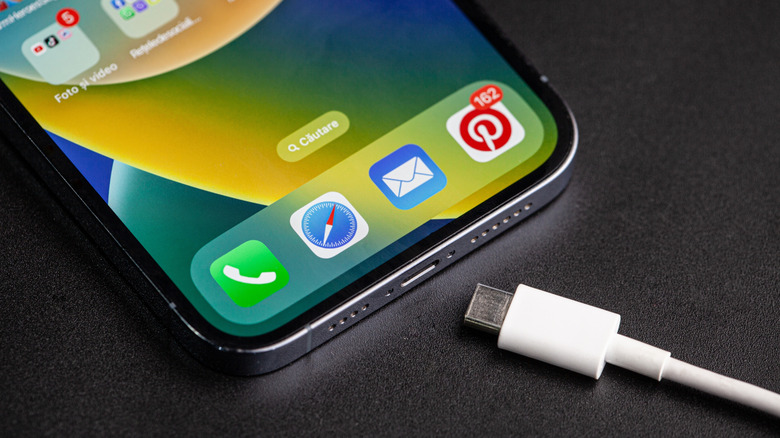

    iPhone and a USB cable.
    Bucsa Nicolae/Shutterstock

    Quick Start usually works fine for most people, but that doesn’t mean things can’t go wrong. In some cases, the transfer may end up stalling due to a weak Wi-Fi signal or simply because you have a lot of data to transfer. Don’t sit there watching the progress bar. Restarting your iPhone safely cancels the process, and you can start over.

    A wired connection can be helpful when wireless transfer fails. Find a USB-C or, if your phone is older, a Lightning cable. Plug both devices in. The cable in the box is limited to USB 2 speeds, though. It’s fine for charging, but not great for moving large amounts of data. While base iPhone models have USB 2 ports, iPhone 15 Pro and newer Pro models support USB 3 transfers at up to 10Gbps. That’s over 20 times faster than USB 2, so the difference in transfer speed is huge. You just need the right cable.

    Some people may run out of storage space on their new device during the transfer. This usually happens when switching from a device with more storage than the new one. If that happens, offload some large files from your old phone before trying again. Also worth checking: both phones should be running the latest version of iOS. Mismatched software versions are a common reason the whole setup fails outright.

    Transferring data from an iPhone without having your old one on hand
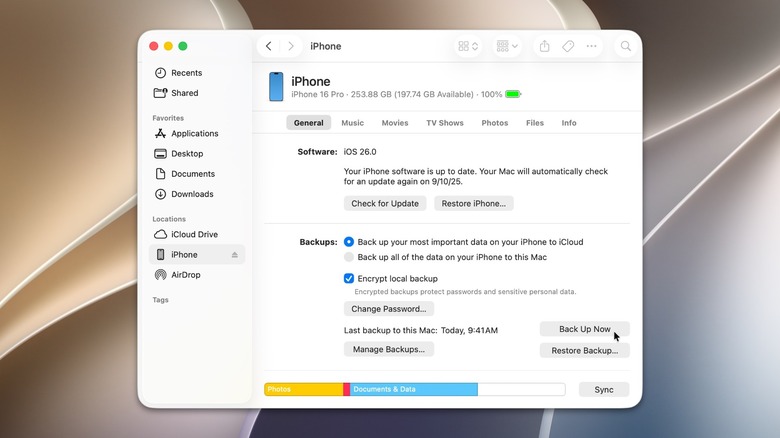

    Managing iPhone backup from a Mac or PC.
    Apple

    You might not have your old iPhone in hand when the new one shows up – trade-ins are the usual reason. If that’s the case, don’t worry about it. Back up your data to iCloud while you still have your old phone with you. Your new iPhone will give you the option to sign in to your Apple Account. Then, restore from an iCloud backup.

    A Mac or PC works too. Plug your iPhone into the Mac or PC. Mac users will see the iPhone icon right in the sidebar. Go there and look for “Back Up Now. Windows takes an extra step first: you’ll need the Apple Devices app from the Microsoft Store. It’s a free app, though. With the new iPhone in hand, connect it to that same Mac or PC. It’ll pop up in Finder or the Apple Devices app almost immediately. Restore Backup is the button you want. Give it a few minutes and your data will all be back in a couple of minutes.

    Share. Facebook Twitter Pinterest LinkedIn Tumblr Email Telegram Copy Link
    News Desk
    • Website

    News Desk is the dedicated editorial force behind News On Click. Comprised of experienced journalists, writers, and editors, our team is united by a shared passion for delivering high-quality, credible news to a global audience.

    Related Posts

    US Science & Tech

    SoundCloud Will Let You Buy Music Directly From Artists

    August 26, 2026
    US Science & Tech

    Robot brain builders are pushing out of their GPT-2 era

    August 26, 2026
    US Science & Tech

    Runable hits $21M to bet AI agents can go from building businesses to growing them

    August 26, 2026
    US Science & Tech

    SpaceX Is Building A $100 Billion ‘Starbase’ Launch Site In Louisiana

    August 26, 2026
    US Science & Tech

    Ventures Platform goes bigger — and broader — with its second Africa fund

    August 26, 2026
    US Science & Tech

    India’s Ringg gets backing from Peak XV as it pushes voice AI past the phone call

    August 26, 2026
    Add A Comment
    Leave A Reply Cancel Reply

    Don't Miss

    Former Ottawa Redblacks coach William Fields rebuts claim he ignored schematic suggestions

    News DeskAugust 26, 20260

    Photo: Ottawa Redblacks. Photo edit: 3DownNation. William Fields was let go as the defensive coordinator…

    Ishan Kishan opens up on potential comeback to India’s Test side amid SL vs IND series

    August 26, 2026

    Mexican Makeup Label Sarelly Raises $3 Million

    August 26, 2026

    Last-Minute Home Décor Ideas With Fresh Flowers

    August 26, 2026
    Tech news by Newsonclick.com
    Top Posts

    MSG vs SRL, The Hundred Men’s 2026, Match Prediction: Who will win today’s game between Manchester Super Giants and Sunrisers Leeds?

    August 11, 2026

    15 Common Soup Mistakes (And How to Fix Them Fast)

    August 11, 2026

    Vitamina K para mujeres en menopausia: alimentos y beneficios para huesos y peso

    May 14, 2026

    ‘Today’ Sheinelle Jones Snaps Jenna’s Late, Not Her ‘Keeper’

    August 11, 2026
    Stay In Touch
    • Facebook
    • Twitter
    • Pinterest
    • Instagram
    • YouTube
    • Vimeo

    Subscribe to Updates

    Get the latest creative news from SmartMag about art & design.

    Editors Picks

    Former Ottawa Redblacks coach William Fields rebuts claim he ignored schematic suggestions

    August 26, 2026

    Ishan Kishan opens up on potential comeback to India’s Test side amid SL vs IND series

    August 26, 2026

    Mexican Makeup Label Sarelly Raises $3 Million

    August 26, 2026

    Last-Minute Home Décor Ideas With Fresh Flowers

    August 26, 2026
    About Us

    NewsOnClick.com is your reliable source for timely and accurate news. We are committed to delivering unbiased reporting across politics, sports, entertainment, technology, and more. Our mission is to keep you informed with credible, fact-checked content you can trust.

    We're social. Connect with us:

    Facebook X (Twitter) Instagram Pinterest YouTube
    Latest Posts

    Former Ottawa Redblacks coach William Fields rebuts claim he ignored schematic suggestions

    August 26, 2026

    Ishan Kishan opens up on potential comeback to India’s Test side amid SL vs IND series

    August 26, 2026

    Mexican Makeup Label Sarelly Raises $3 Million

    August 26, 2026

    Subscribe to Updates

    Get the latest creative news from FooBar about art, design and business.

    Facebook X (Twitter) Instagram Pinterest
    • About Us
    • Editorial Policy
    • Privacy Policy
    • Terms and Conditions
    • Disclaimer
    • Advertise
    • Contact Us
    © 2026 Newsonclick.com || Designed & Powered by ❤️ Trustmomentum.com.

    Type above and press Enter to search. Press Esc to cancel.