

The At a Glance Widget on Google Pixel phones has been the bane of my existence for too long. It’s not that it’s terrible, but so far, there has been no way to remove it, and there seem to be few reasons to use it at all.
Android Authority discovered that in the latest Canary (beta) build of Google’s Pixel launcher, there’s a new toggle in the At A Glance settings menu that says, “Show on home screen,” suggesting you will finally be able to disable the persistent widget. The publication says so far, the switch doesn’t even work, but hopefully, you’ll finally be able to disable it by the end of 2025.
At a Glance could be awesome, but in practice, it mostly just shows the date and the weather, which makes it incredibly dull. Google even tried to remedy this a few years ago when it launched Material You alongside a whole slate of fun and exciting widget designs. However, trying to use them on your main homescreen was often blocked by At a Glance, and often showed the same information, making the fun widgets sadly redundant. You’d think that a smart widget like At a Glance would be able to adapt to the other widgets on your screen, but it can’t, so the information overlap is usually unavoidable.
It honestly showcases a lot of Google’s failings in one small widget. It’s an outdated design that most would think the company has forgotten about. It hasn’t, since Google has been quietly adding more capabilities to it over the years. However, at the end of the day, not having the option to disable it and replace it with another widget undermines Google’s human-centric and customizable design ethos.
The other thing that drives me nuts about it is that it will adapt to display new information beyond the date and weather, but then it will hide that new information behind a swipe to a semi-hidden second page. I’d argue that if it’s got something new to say, it should show it right away. The date and weather are there 90 per cent of the time, so anyone who has looked at their phone once has likely seen them in the past hour. Please show me the other information more often!!! If you’re not, adapting the widget each time I glance at my phone, it feels pretty pointless.
To make things even more frustrating, it may also simply display something like a calendar event on that hidden second page, which usually appears as a notification or some other kind of alert, so by the time I see it on At a Glance, I’ve already seen it on my lockscreen or in my notification shade. The same goes for extreme weather alerts.
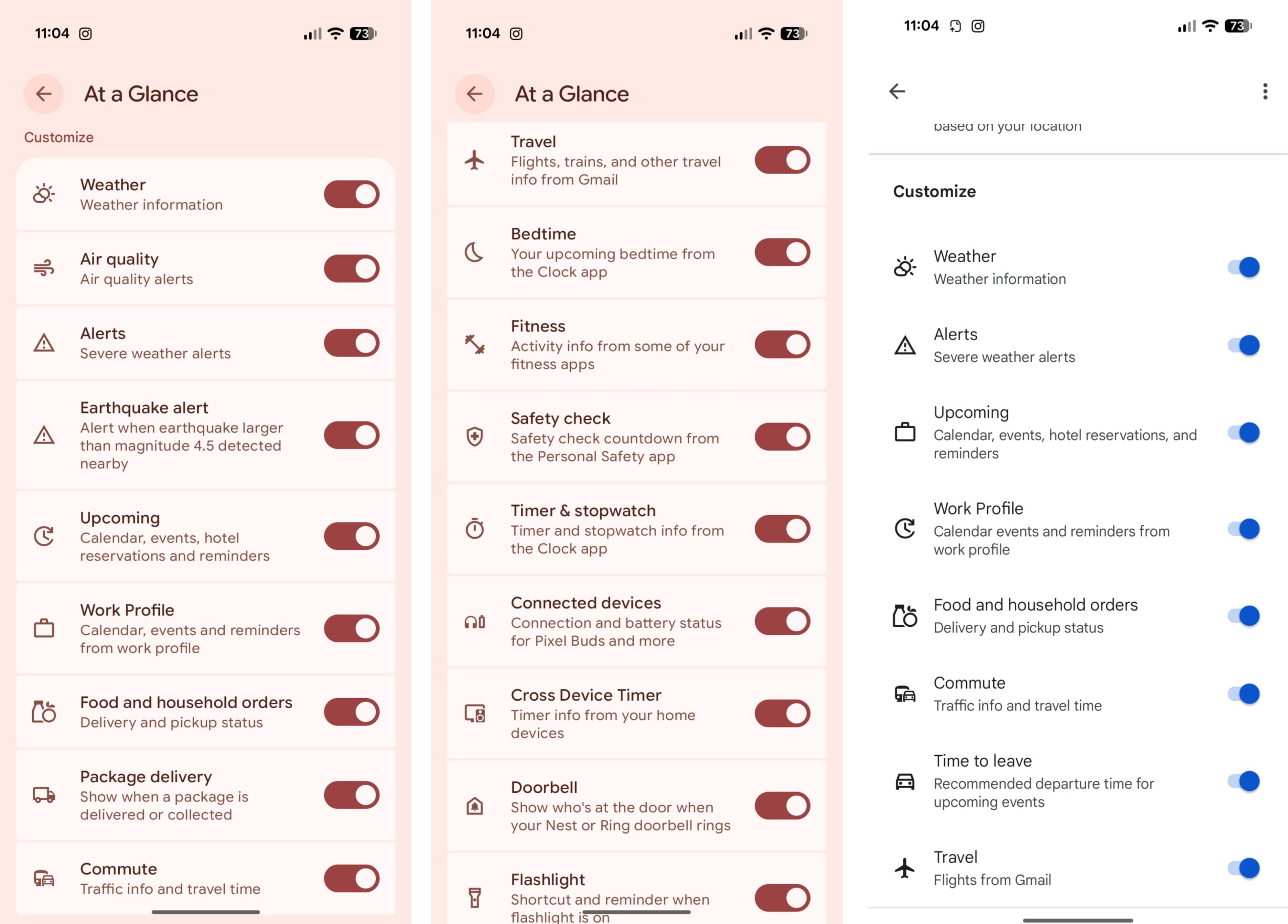
The pink settings are for the old At a Glance and the white ones are for the new design.
Material You was introduced in 2021, and a newly designed At a Glance widget followed in the years after. It looks great and perfectly matches the style of modern Pixel phones. However, I’d hazard a guess that no Pixel owners are actually using it, since they would then have to deal with two At a Glance widgets on their home screen. However, to round it all out in a way that makes almost no sense, the better-looking At a Glance widget lacks as many capabilities as the original text-based one, but it does seem to show alerts for things like your calendar more effectively. At the end of the day, it just seems wild to me that Google has a better version of this widget, but you can’t use it.
Overall, it highlights how Google’s attention to detail can falter over time, as internal teams often tend to overlook their own projects. Like, I seriously have no idea how the second At a Glance widget got approved and shipped, knowing that it can’t replace the regular version without using a third-party launcher. Hopefully, Google is finally on track to remedy this since people have only been complaining about it since 2019.
Source: Android Authority
