
Customers of Telus-owned wireless carrier Public Mobile are dealing with an ongoing Rich Communication Services (RCS) issue, with no end in sight.
Several Public Mobile customers (including myself) have lost access to RCS after moving their physical SIM or eSIM to a new phone. The problem causes RCS setup to fail, preventing users from sending or receiving RCS messages, though SMS and MMS continue to work. I first encountered the issue roughly two weeks ago after moving my physical Public SIM card from a Pixel 10 to a Pixel 10 Pro so I could start testing the phone for my review.
Since encountering the issue, I’ve been chatting back and forth with Public Mobile’s support and performing lots of troubleshooting steps (both on my own and with Public’s support) to try and resolve the issue. However, nothing worked.
I initially thought it was just me since I often switch phones for work purposes; I probably screwed something up with RCS along the way. It wasn’t until Sept. 21 that I began to suspect the problem might be a broader issue when a message from a Public support agent noted that Public was “aware of this situation” and that technicians were “working as quickly as possible to resolve it for you and all the people affected.”
Moreover, MobileSyrup received notes from readers who also encountered problems, and there are several threads on Reddit and Public’s own forums detailing the ongoing issue. Tons of Public Mobile customers, including both iPhone and Android users, have encountered RCS disruptions after changing phones. Some iPhone users also noted that RCS stopped working after upgrading to iOS 26, though it’s not clear if or how these problems are connected.
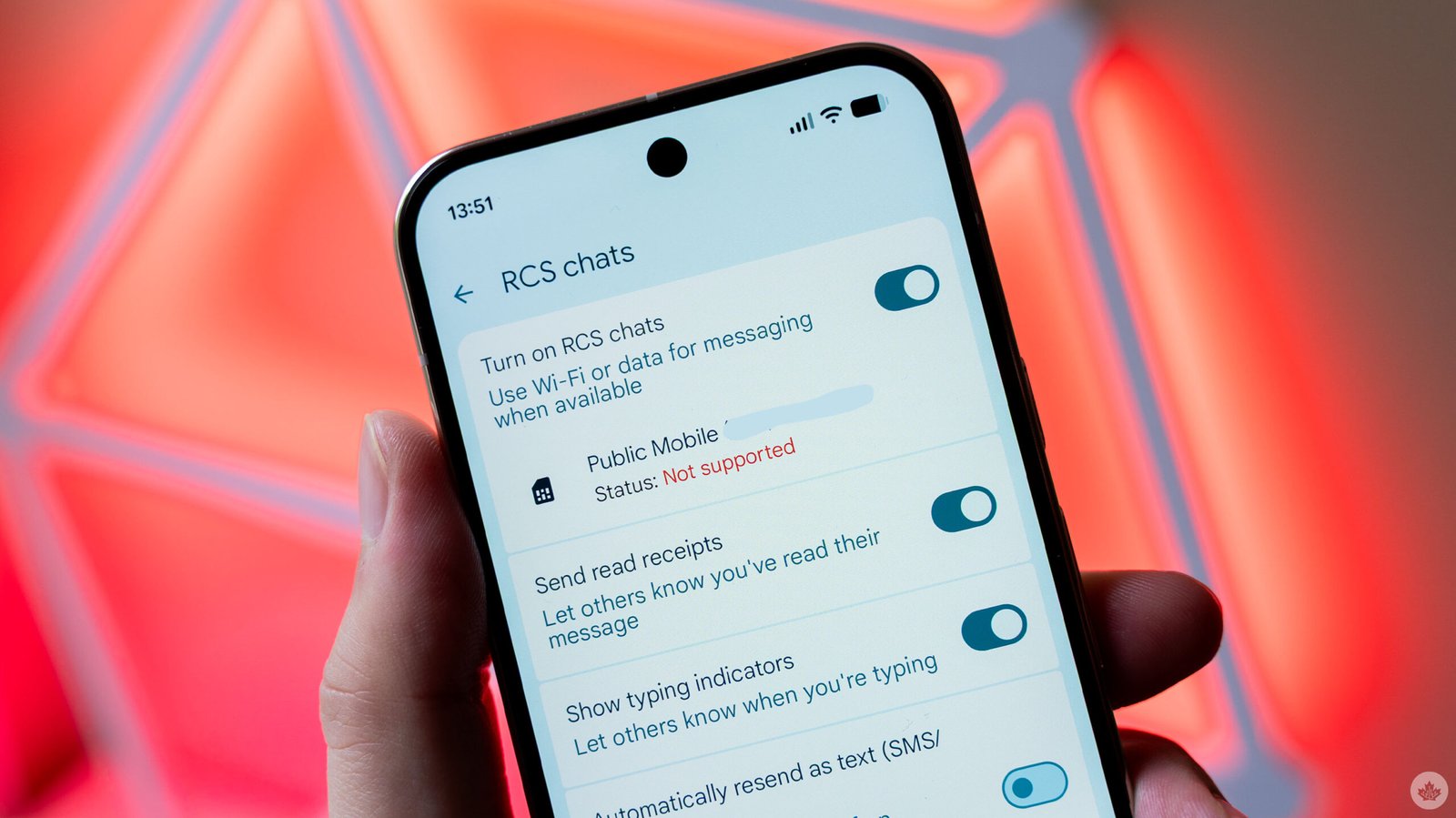
On my Pixel 10 Pro, the RCS settings page in the Google Messages app showed that it was attempting to set up RCS for several hours before eventually switching to a message saying that RCS is “Not supported” by Public Mobile. This isn’t true — RCS works fine with Public Mobile, and if I pop my SIM back into the Pixel 10, RCS works fine. It seems most people impacted by the issue are seeing similar messages or errors in their respective messaging apps and settings.
On Sept. 22, I received a text message from Public Mobile’s support team explaining that the company was investigating “a known issue with RCS Chat.” The message warned that it might take “a few days or a few weeks” to resolve, and the company recommended performing some troubleshooting steps every couple of days to check if RCS has started working.
However, given that the RCS outage has already been ongoing for several weeks, hearing that it could take a few more weeks to fully resolve is less than ideal. MobileSyrup also reached out to Public Mobile owner Telus about the issue, and received the following statement:
“Some Public Mobile customers may experience issues activating RCS messaging services after transferring their physical SIM card or eSIM to a new device. We are aware of the situation and our Public Mobile team is currently investigating with our technology partners. Customers are still able to send standard SMS and picture messages with their device at this time.”
However, Telus did not answer questions about what caused the problem, how widespread it is, and when customers can expect a resolution.
Troubleshooting steps to try
If you’re encountering the RCS issue, here are some steps you can try that might help, though so far, I’ve attempted these multiple times with no fix yet. Moreover, the steps below are specifically for Android devices, as that’s what I have and what I’ve been troubleshooting.

- Navigate to Google Messages’ App info screen (press and hold on the app icon, tap ‘App info,’ or go to Settings > Apps > Messages).
- Tap ‘Force stop’ to stop any background activity Messages is doing.
- Tap ‘Storage and cache’ and then tap ‘Clear storage.’ (This clears both storage and cache. Don’t worry about losing messages, as these should be backed up to your Google account and will restore next time you open the app.)
- Open Messages > tap your profile picture (top right corner) > Messages Settings > RCS Chats > turn off RCS.
- Restart your phone.
- Turn RCS Chats back on.
If that doesn’t fix the problem, try the following:
-
- Uninstall Google Messages updates (Go back to Messages’ App info screen > tap the three-dot menu > Uninstall updates.)
- Go to the Play Store and redownload the Google Messages updates.
- Check if that fixes the problem.

Again, I’ve been trying the above every couple of days to see if things come back online, but so far, none of this has worked for me. However, with Public now aware of the problem, hopefully it won’t be too much longer before this all gets sorted out.
Thanks Scott!
