

If you’ve read my writing on MobileSyrup, you may know I’m a bit of a keyboard nerd. I spend a lot of time typing – it’s a good chunk of my job, but many of my hobbies involve using keyboards too, whether that’s gaming or creative writing. Unsurprisingly, a good typing experience can be a real game-changer for me.
With all that said, I was extremely excited when Keychron reached out to me with an offer to review its new Q16 HE 8K and Q6 HE 8K keyboards. The Q16 boasts some unique features that piqued my interest, including its magnetic switches and keycaps made of ceramic.
Despite being a keyboard nerd, I hadn’t tried magnetic switches – also known as Hall effect switches – before the Q16, so I was pretty excited to try them out. And oh, boy, they are a delight.
First, let’s talk about the differences between the switch types. When typing on mechanical switches, pressing a key compresses a spring inside the switch, making contact with metal leaves below to complete the circuit and register the keypress. Magnetic switches, on the other hand, rely on the Hall effect to register keypresses.
This difference in how switches register keypresses makes for very different typing experiences. Mechanical switches typically offer more physical feedback, such as a tactile or aural ‘click’ when a key is pressed. There are tons of different switches, which can vary the typing experience significantly, offering more or less feedback, different travel distance (how far down you have to press before it registers), and more.
Magnetic switches, on the other hand, can lack some of that physical feedback, but can offer a smoother-feeling press. In my experience with the Q16, however, there was plenty of feedback to satisfy me. Coupled with the buttery-smooth keypress, I almost immediately found myself preferring the Q16 to the various mechanical keyboards I’ve used over the years. Moreover, the sound of typing on the Q16 was great – the Q16 offered a deeper ‘thock’ sound compared to the tinnier ‘click’ of the Razer Blackwidow V4 Pro I used before.
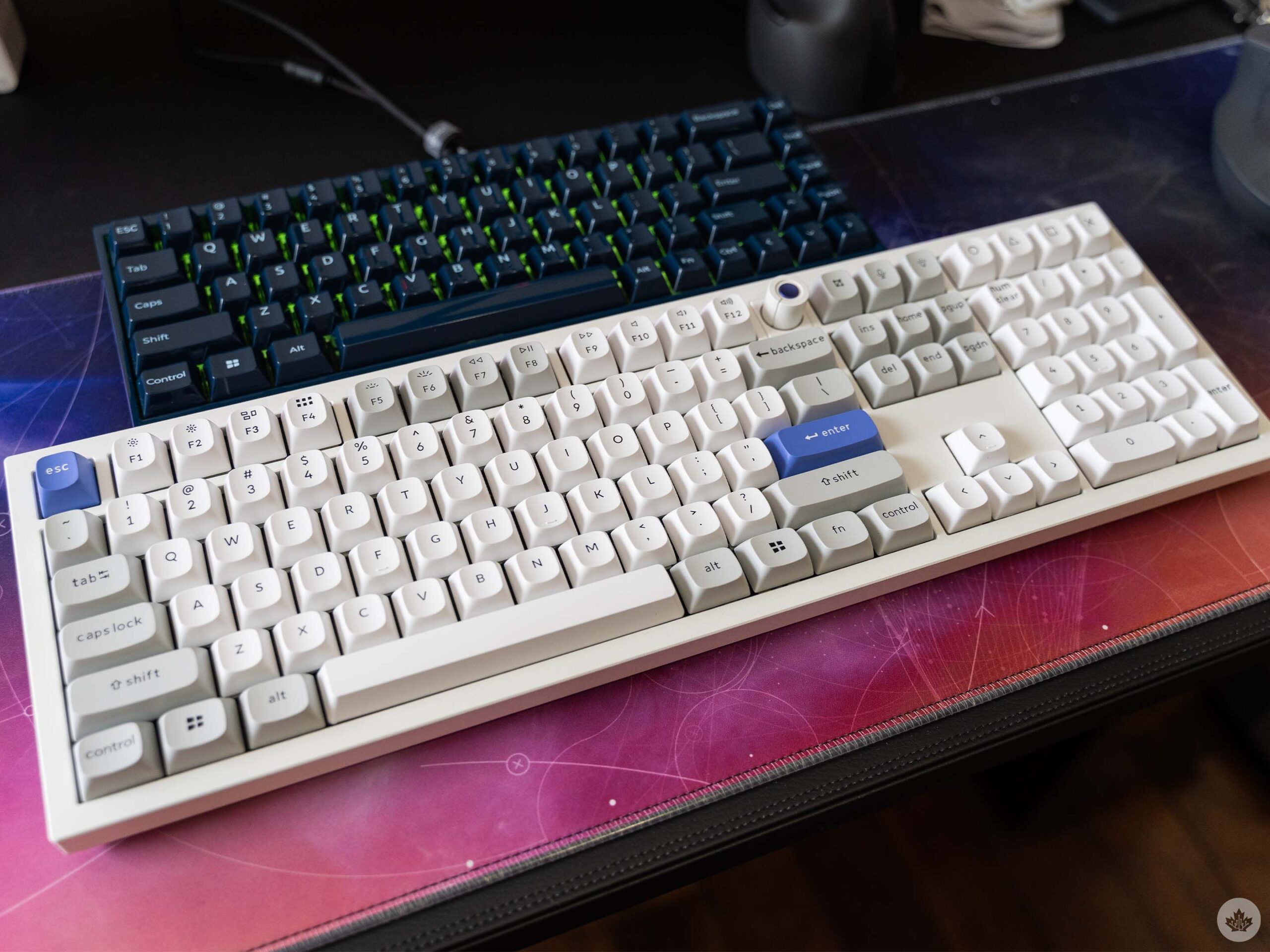
The Keychron Q6 HE 8K (bottom, white) and Q16 HE 8K (top, navy).
Part of the deeper sound, however, is also due to the materials used in the Q16. The ceramic keycaps contributed to that deeper ‘thock’ sound, while the Q6 – which sports the same Keychron Lime Magnetic switches as the Q16 but with classic double-shot PBT keycaps – had a sound somewhere between the Blackwidow and the Q16.
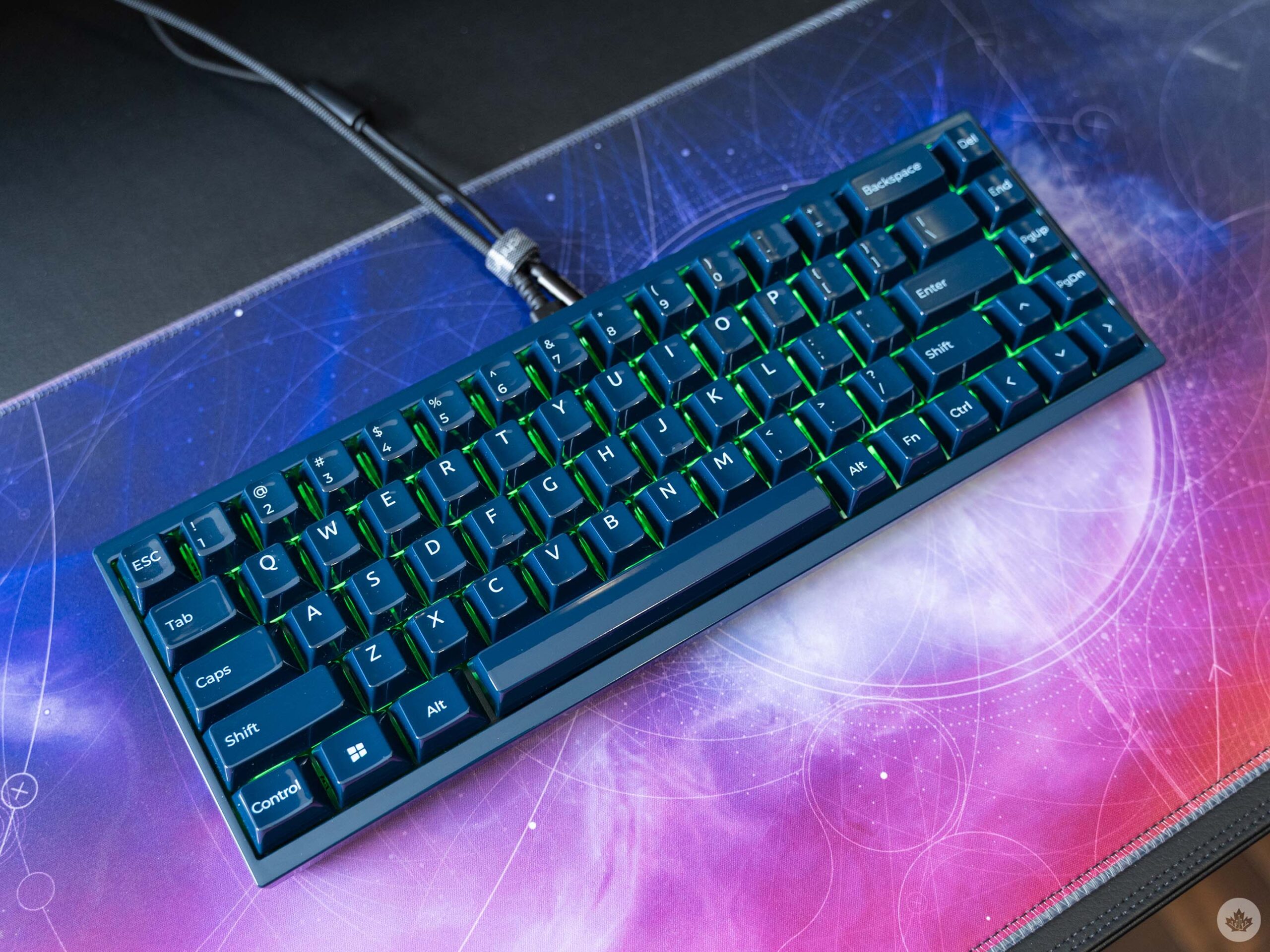
The Q16 sports ceramic not just on the keycaps but across the whole chassis as well. It lends a premium feel and heft to the keyboard that I appreciate, though the ceramic isn’t perfect. I have two issues with the ceramic, neither of which are deal-breakers, but issues nonetheless.
First, the keys don’t allow the backlight to shine through and illuminate the legend, making typing in the dark a bit more challenging. Keychron equipped the Q16 with “north-facing” RGB lights, which help with illumination, but it’s an imperfect solution. It’s a small sacrifice to make for ceramic keycaps, however, so the real question is what’s more important for you – illuminated keys or premium feel.
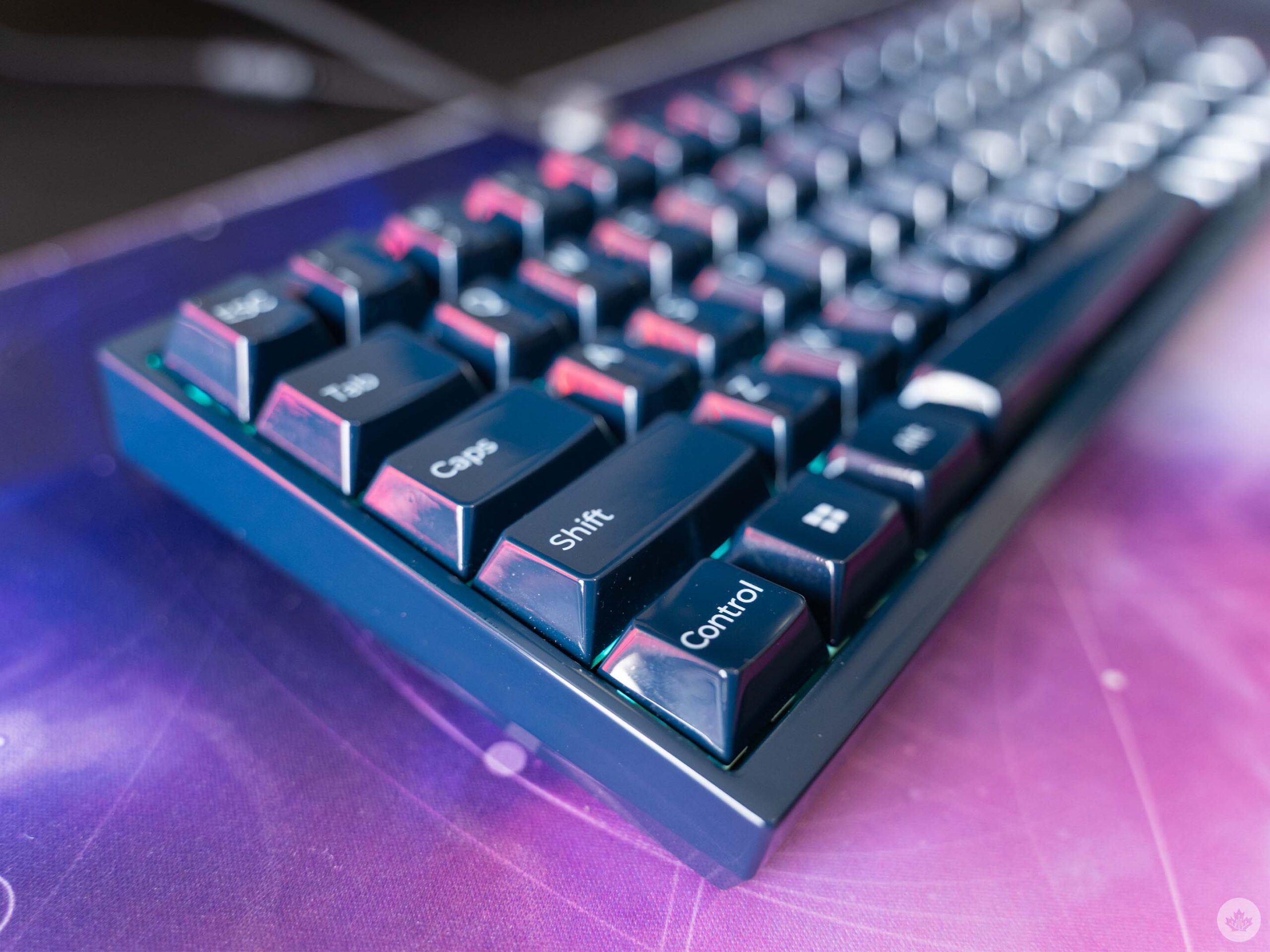
My other issue with the ceramic material is that the glossy finish makes the keys feel slippery. It also makes the keyboard more of a fingerprint magnet. As someone with sweaty hands, I find my fingers slide around on the keys a lot, especially during intense gaming sessions. Again, it’s not a huge deal, but something to take note of. I’d be curious to see what a more textured ceramic keycap might be like, but the glossy ones are pretty solid overall if you don’t mind the occasional slip.
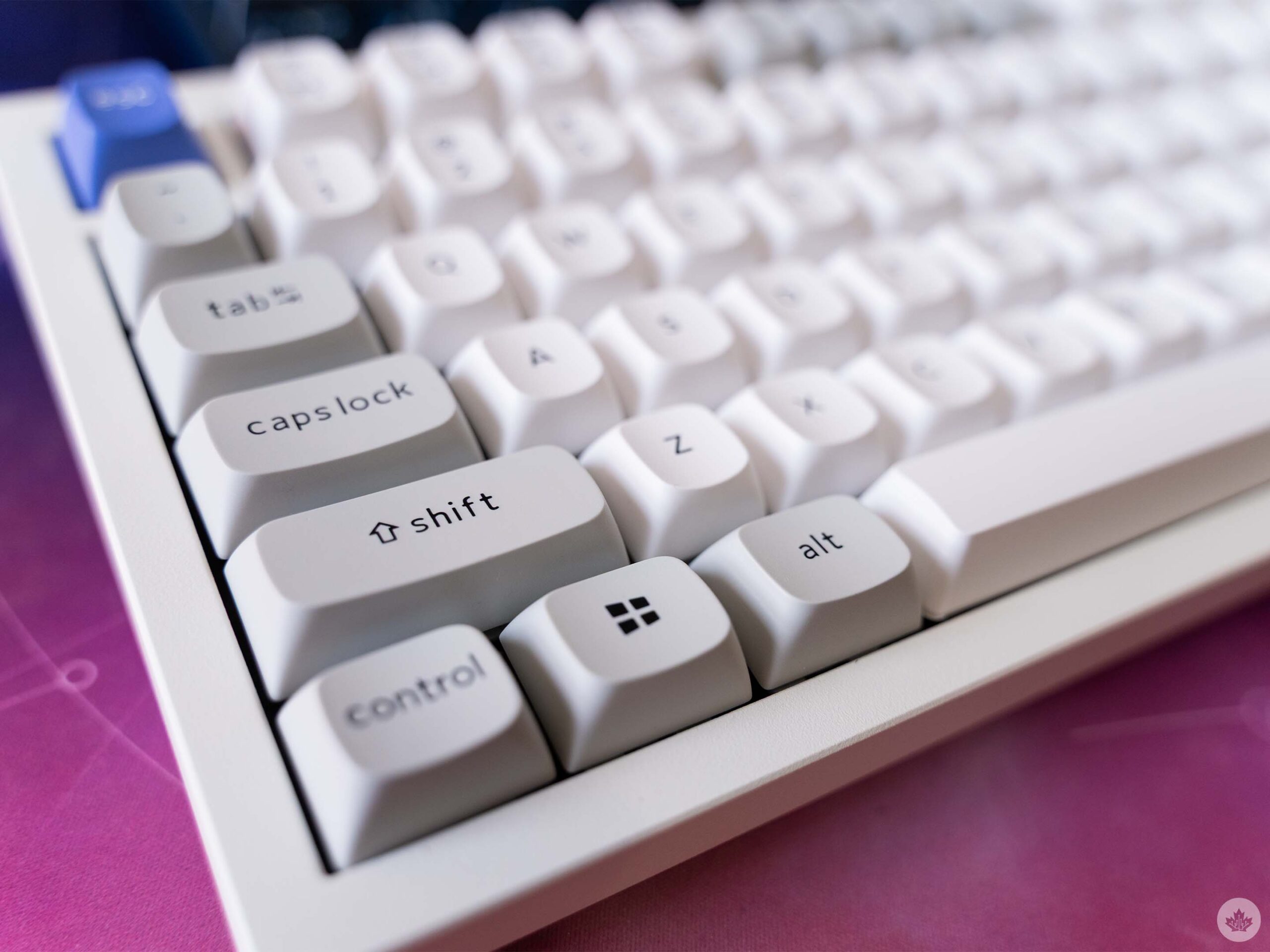
If all that sounds like ceramic isn’t for you, there are other options. As mentioned up top, I also tried out the Q6 HE 8K, a full-size keyboard with more traditional-feeling keycaps and the same Lime Magnetic switches as the Q16. The Q6 sports OEM spherical angled (OSA) doubleshot PBT keycaps, which look and feel fantastic. While I like the sound of the Q16 with its ceramic better, the Q6 feels just as good and still sounds great if you care about that kind of thing.
There are a few other notable benefits that apply to both keyboards. For one, Keychron makes a big deal about the keyboards having an 8,000Hz polling rate. Polling rate measures how often the keyboard sends its status to the connected PC, with higher polling rates reducing input lag.
However, polling rates have diminishing returns as you push higher, and in most cases, a 1,000Hz polling rate is more than enough for most people. Some enthusiasts may benefit from a 4,000Hz polling rate, assuming they have other gear like high refresh rate monitors to maximize the benefits. In other words, this spec is mostly just marketing, and you’re better off sticking with the keyboard’s default polling rate of 1,000Hz. (That’s what I did with the Q16, and it’s been fantastic.)
Speaking of changing the polling rate, that brings me to another neat feature: Keychron’s app. Well, website. You can manage all of the keyboard’s settings, lighting options, and more from the Keychron Launcher web app, which is super handy since it saves you from needing to install any software to use the keyboards, and lets you tweak settings regardless of which device you use. That’s great for someone like me, who routinely uses the Q16 with both my work laptop and gaming PC.
Keychron Launcher enables a ton of functionality and customization. You can adjust the actuation distance of every key on the board, adjust the switches, create macros, and more. There’s a ton there if you really want to dig in and customize your keyboard, but I really liked how it worked out of the box, so it’s totally not necessary.
Overall, the Q16 and Q6 keyboards are truly fantastic, though not entirely perfect. Probably the single biggest issue with the boards is that they only work over a wired connection, though that certainly won’t be a deal breaker for everyone. For me, it’s not a big deal since I prefer to use my keyboards in wired mode anyway (got tired of my wireless keyboards always needing a charge at the most inconvenient times).
Aside from that, most of the issues are small nitpicks that don’t really detract from the excellent typing experience. Whether work or play, the Q16 and Q6 boards worked flawlessly. Typing was a joy, the keyboard was super responsive for gaming, and it just sounds so good when I’m using it.
While I would highly recommend both keyboards, I will also say they’re probably better for enthusiasts willing to shell out a premium for a good keyboard. The ceramic Q16 HE 8K clocks in at $330.99 in Canada, while the Q6 HE 8K costs $346.99. (Notably, the Q6 is also available on Amazon for slightly less at $339, but the Q16 was not on Amazon at the time of writing.)
