Close Menu

    Subscribe to Updates

    Get the latest creative news from FooBar about art, design and business.

    What's Hot

    Report, result, goals from pre season friendly as Havertz, Tzolis, Dowman and Jesus score in stroll for Premier League side

    August 1, 2026

    YouTuber Hank Green says his AI usage is ‘not healthy’

    August 1, 2026

    Red Sox Acquire Jahmai Jones

    August 1, 2026
    Facebook X (Twitter) Instagram
    Select Language
    Facebook X (Twitter) Instagram
    NEWS ON CLICK
    Subscribe
    Saturday, August 1
    • Home
      • United States
      • Canada
      • Spain
      • Mexico
    • Top Countries
      • Canada
      • Mexico
      • Spain
      • United States
    • Politics
    • Business
    • Entertainment
    • Fashion
    • Health
    • Science
    • Sports
    • Travel
    NEWS ON CLICK
    Home»Science & Technology»US Science & Tech»What Is USB Tethering And How Do You Enable It For Mobile Hotspot?
    US Science & Tech

    What Is USB Tethering And How Do You Enable It For Mobile Hotspot?

    News DeskBy News DeskAugust 1, 2026No Comments3 Mins Read
    Share Facebook Twitter Pinterest Copy Link LinkedIn Tumblr Email VKontakte Telegram
    What Is USB Tethering And How Do You Enable It For Mobile Hotspot?
    Share
    Facebook Twitter Pinterest Email Copy Link

    There are times when a physical connection works better. Here’s how to set it up.


    Will Shanklin for Engadget

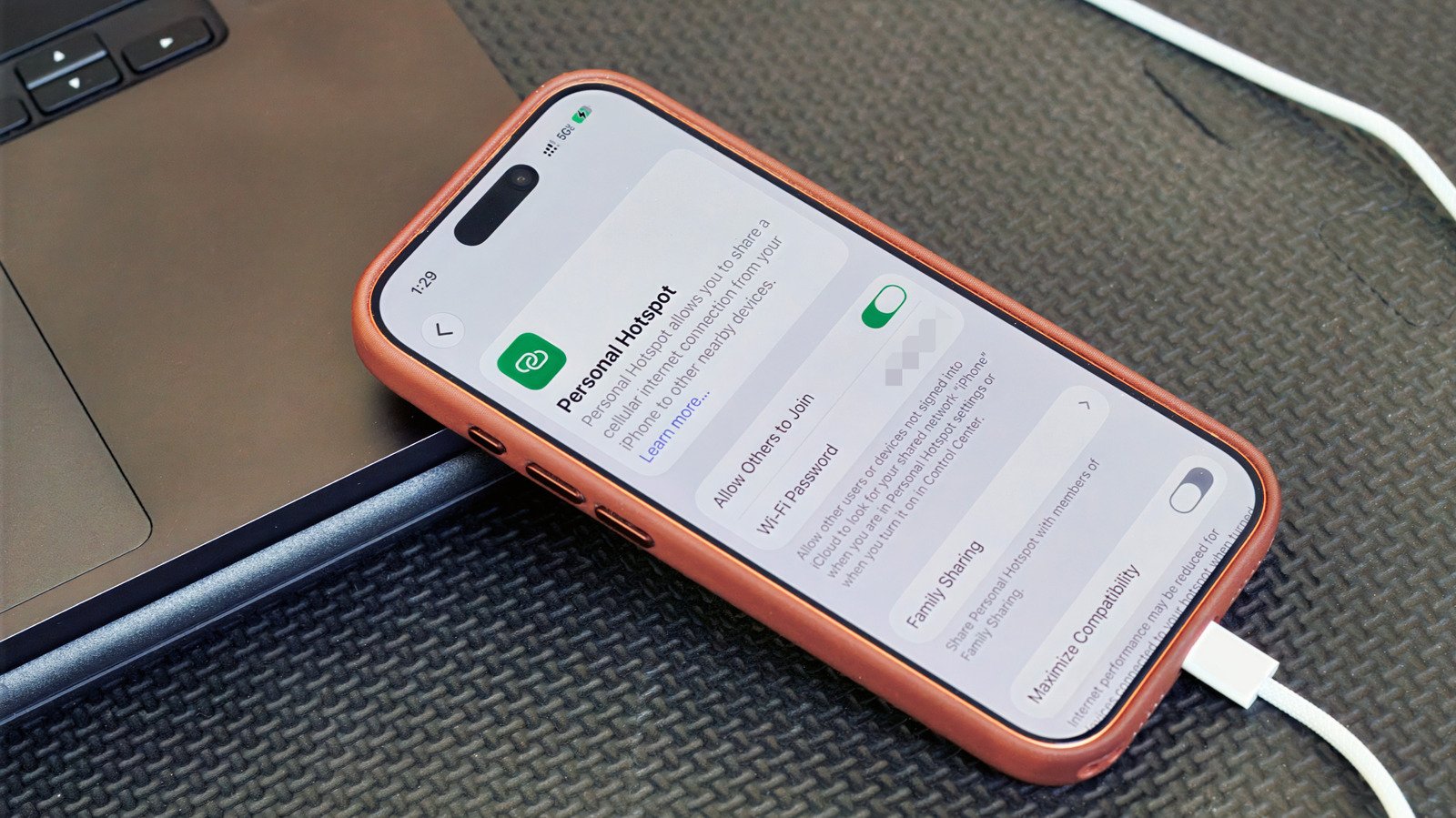
    When you think of using a smartphone as a mobile hotspot, the wireless version is probably what comes to mind. But there’s also USB tethering, which lets you share your phone’s cellular connection with a computer over a cable. Here’s how it works, what it’s good for and how to set it up.

    Why USB tethering?

    For most people, a wireless hotspot is still the easiest way to get a laptop online when you’re away from regular Wi-Fi. It’s more flexible, supporting multiple simultaneous connections. And unlike the USB kind, you’re free to move your phone away from the computer.

    But there are some cases where USB tethering could make sense. A wired connection can be more stable, which is handy for crowded places like convention centers or airports. It also means you aren’t broadcasting a visible network in public. As a bonus, your phone might charge while it’s connected.

    How to set up USB tethering
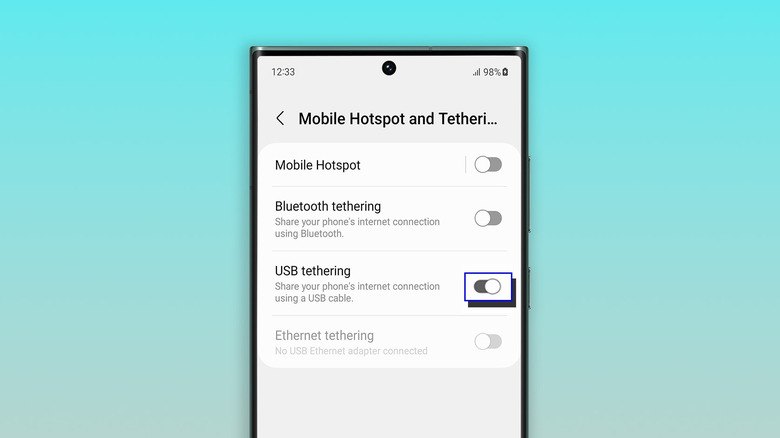

    The tethering screen on a Samsung Galaxy phone
    Screenshot by Will Shanklin (Samsung)

    Before we dive in, note that there’s one big catch: Android phones can’t tether via USB to a Mac. (You can still use a Wi-Fi hotspot instead.) Otherwise, USB tethering works with other phone-to-computer setups, including Android to Windows and iPhone to Mac or Windows.

    If you’re tethering from an iPhone to Windows, you may need to install the Apple Devices app or iTunes for Windows from the Microsoft Store.

    On Android:

    1. Connect your phone to a Windows PC using a USB cable.
    2. On your phone, navigate to Settings > Network & internet > Hotspot & tethering. (On some devices, it’s under Settings > Connections > Hotspot & tethering.) You can also swipe down to open Quick Settings, then press and hold Hotspot to jump to the tethering menu.
    3. Toggle on USB tethering. If the option is grayed out, make sure you’re using a data-capable USB cable and not a charge-only one.

    On iPhone:

    1. Plug your iPhone into a computer using a USB cable.
    2. You may see authentication prompts. If your iPhone asks whether to trust the computer, tap Trust and enter your passcode. If you’re connecting to a Mac and see an “Allow accessory to connect” prompt on your computer, click Allow.
    3. On your iPhone, go to Settings > Personal Hotspot. (If you’ve never used a hotspot before, you may need to start under Settings > Cellular > Set up Personal Hotspot.)
    4. Turn on Allow Others to Join.

    A few things to keep in mind

    USB tethering usually makes more sense for one device than as a full hotspot replacement. So, for example, if you’re trying to get both your laptop and tablet online at the same time, a Wi-Fi hotspot is the solution.

    Keep in mind that laptops can burn through data with background tasks like updates and cloud syncing. Your carrier may also limit hotspot use, charge extra for it, count it against a separate data allowance or not support it at all. So it’s worth checking your plan before tethering over USB or Wi-Fi.

    And while a wired connection can be more stable than a wireless hotspot, it’s still relying on your phone’s cellular signal. Spotty service will still mean spotty internet, no matter how you connect.

    Share. Facebook Twitter Pinterest LinkedIn Tumblr Email Telegram Copy Link
    News Desk
    • Website

    News Desk is the dedicated editorial force behind News On Click. Comprised of experienced journalists, writers, and editors, our team is united by a shared passion for delivering high-quality, credible news to a global audience.

    Related Posts

    US Science & Tech

    YouTuber Hank Green says his AI usage is ‘not healthy’

    August 1, 2026
    US Science & Tech

    Sam Altman is still making the case for parenting via ChatGPT

    August 1, 2026
    US Science & Tech

    Ayaneo Reveals Its Game Boy Advance Remake Called The Konkr Pocket Advance

    August 1, 2026
    US Science & Tech

    This $9 key physically locks your most addictive apps

    August 1, 2026
    US Science & Tech

    How To Safely Recycle Your Old USB Cables

    August 1, 2026
    US Science & Tech

    Apps that help you break free from doomscrolling and get active

    August 1, 2026
    Add A Comment
    Leave A Reply Cancel Reply

    Don't Miss

    Report, result, goals from pre season friendly as Havertz, Tzolis, Dowman and Jesus score in stroll for Premier League side

    News DeskAugust 1, 20260

    Owned by the City Football Group that also controls clubs including Manchester City, Girona have…

    YouTuber Hank Green says his AI usage is ‘not healthy’

    August 1, 2026

    Red Sox Acquire Jahmai Jones

    August 1, 2026

    Daughter Bonnie Bella Shows Off New Talent

    August 1, 2026
    Tech news by Newsonclick.com
    Top Posts

    Dead Baby Found In Porta-Potty At Electric Music Festival

    July 2, 2026

    Agent of Enzo Fernandez confirms midfielder exploring move away from Chelsea this summer

    July 2, 2026

    MLB Mailbag: White Sox, Underachievers, Witt, Giants, Rangers, Rays

    July 2, 2026

    Red Sox Acquire Jahmai Jones

    August 1, 2026
    Stay In Touch
    • Facebook
    • Twitter
    • Pinterest
    • Instagram
    • YouTube
    • Vimeo

    Subscribe to Updates

    Get the latest creative news from SmartMag about art & design.

    Editors Picks

    Report, result, goals from pre season friendly as Havertz, Tzolis, Dowman and Jesus score in stroll for Premier League side

    August 1, 2026

    YouTuber Hank Green says his AI usage is ‘not healthy’

    August 1, 2026

    Red Sox Acquire Jahmai Jones

    August 1, 2026

    Daughter Bonnie Bella Shows Off New Talent

    August 1, 2026
    About Us

    NewsOnClick.com is your reliable source for timely and accurate news. We are committed to delivering unbiased reporting across politics, sports, entertainment, technology, and more. Our mission is to keep you informed with credible, fact-checked content you can trust.

    We're social. Connect with us:

    Facebook X (Twitter) Instagram Pinterest YouTube
    Latest Posts

    Report, result, goals from pre season friendly as Havertz, Tzolis, Dowman and Jesus score in stroll for Premier League side

    August 1, 2026

    YouTuber Hank Green says his AI usage is ‘not healthy’

    August 1, 2026

    Red Sox Acquire Jahmai Jones

    August 1, 2026

    Subscribe to Updates

    Get the latest creative news from FooBar about art, design and business.

    Facebook X (Twitter) Instagram Pinterest
    • About Us
    • Editorial Policy
    • Privacy Policy
    • Terms and Conditions
    • Disclaimer
    • Advertise
    • Contact Us
    © 2026 Newsonclick.com || Designed & Powered by ❤️ Trustmomentum.com.

    Type above and press Enter to search. Press Esc to cancel.