Close Menu

    Subscribe to Updates

    Get the latest creative news from FooBar about art, design and business.

    What's Hot

    Hatch Green Chile Enchiladas | Mexican Please

    August 22, 2026

    Brandon Nakashima knocks off Taylor Fritz in Cincinnati quarterfinal

    August 22, 2026

    Australia vs Bangladesh 2026: Mackay Weather Forecast and Great Barrier Reef Arena Pitch Report for 2nd Test

    August 22, 2026
    Facebook X (Twitter) Instagram
    Select Language
    Facebook X (Twitter) Instagram
    NEWS ON CLICK
    Subscribe
    Saturday, August 22
    • Home
      • United States
      • Canada
      • Spain
      • Mexico
    • Top Countries
      • Canada
      • Mexico
      • Spain
      • United States
    • Politics
    • Business
    • Entertainment
    • Fashion
    • Health
    • Science
    • Sports
    • Travel
    NEWS ON CLICK
    Home»Science & Technology»US Science & Tech»Before You Throw Out Your Old USB Drives, Do This First
    US Science & Tech

    Before You Throw Out Your Old USB Drives, Do This First

    News DeskBy News DeskAugust 10, 2026No Comments4 Mins Read
    Share Facebook Twitter Pinterest Copy Link LinkedIn Tumblr Email VKontakte Telegram
    Before You Throw Out Your Old USB Drives, Do This First
    Share
    Facebook Twitter Pinterest Email Copy Link

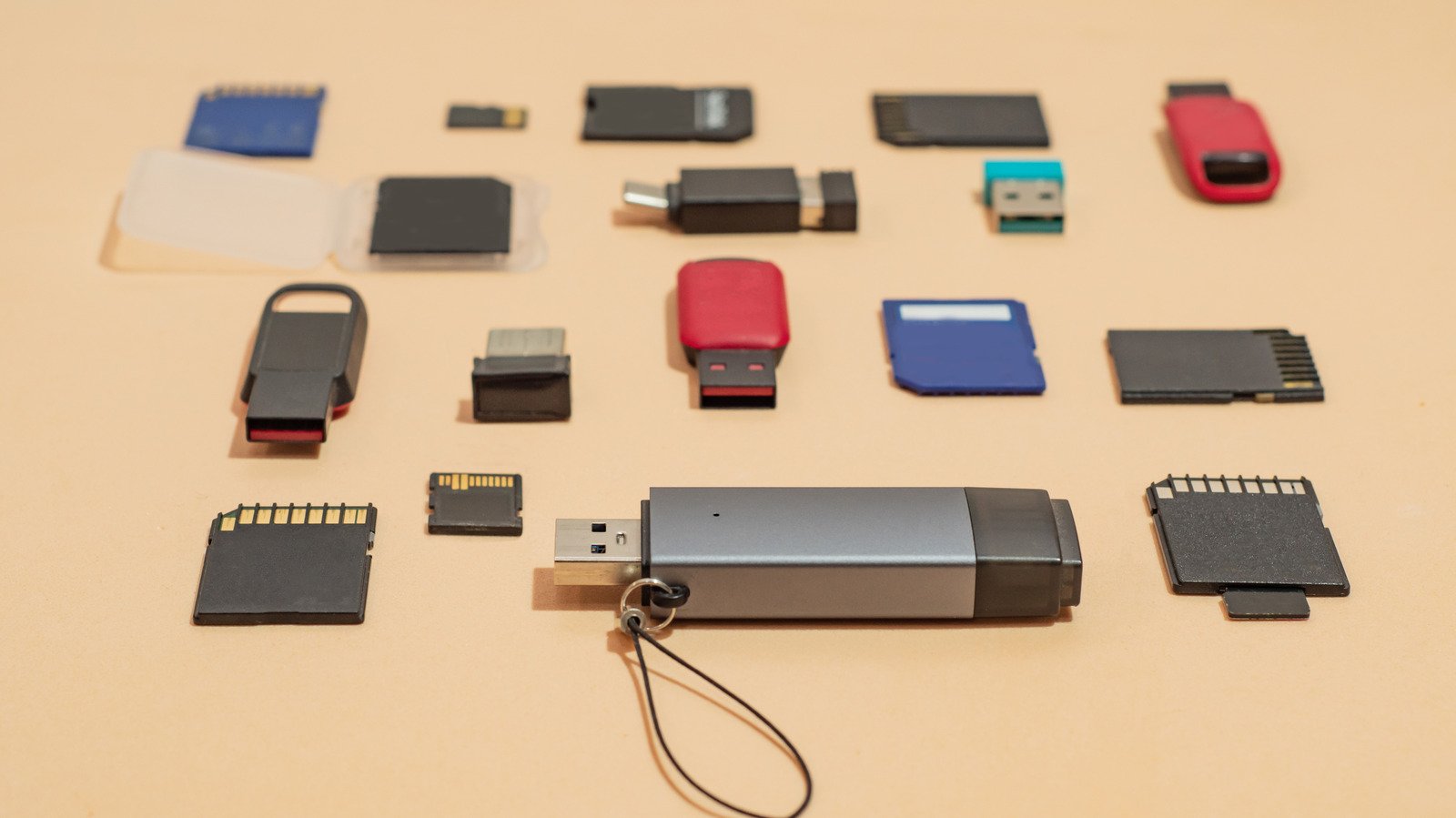
    Deleting the files isn’t enough.


    Tatiana Rico/Getty Images

    Given the current state of memory and storage prices, it might seem counterintuitive to even consider throwing away functional USB drives, but we all have a couple of old ones lying around that are either too slow or too limited in capacity to be particularly useful anymore. In such cases, it makes perfect sense to properly recycle or dispose of older storage drives. However, simply deleting the files stored on the drive isn’t enough to ensure your data is safely erased. All this does is mark the space that was occupied by the files as available for new data.

    If your drive ever falls into the wrong hands, data recovery software could still succeed in restoring those deleted files. An old flash drive containing sensitive documents such as tax records or scanned IDs could turn into a privacy risk. A full format of the drive is therefore recommended. This takes much longer than a quick format because it scans the drive for bad sectors and overwrites existing data, making data recovery much more difficult.

    If you want maximum peace of mind, though, you don’t need to stop at just a full format. Physical destruction of the drive is the safest option if you don’t intend to use it again. This is especially helpful if the drive you want to discard isn’t being recognized by your computer in the first place, preventing you from wiping its contents. Cornell University’s IT security guidance recommends that functional drives to be recycled should be overwritten three times, and those that are to be disposed of should be physically destroyed.

    How to properly format a USB drive
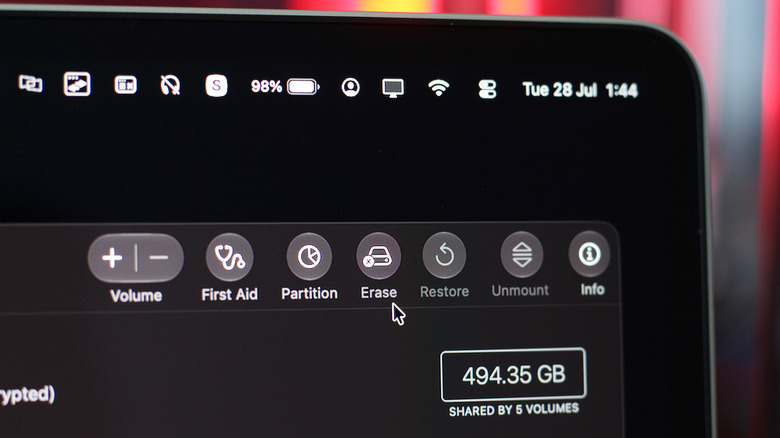

    A picture of a screen showing formatting options for a drive on macOS.
    Adnan Ahmed for Engadget

    You can format your hard drive or external SSD without any special software on both Windows and Mac computers. Start by connecting the drive, then ensure you have moved any important files you want to keep somewhere safe. On Windows, open File Explorer and navigate to This PC from the sidebar on the left. You should be able to see the connected drive in the Devices and drives section. Right-click on it and click on Format. A small window with a few options will pop open. Since you’re going to be discarding the USB drive anyway, you don’t need to worry about changing any settings here. Just be sure to leave the Quick Format option unchecked. Click Start and give it some time.

    If you’re on a Mac computer, you can use a built-in service Apple offers to format connected drives. Open Finder and navigate to Applications > Utilities and launch Disk Utility. Select your drive from the sidebar on the left and click on the Erase button. For some storage types, macOS will let you expand the Security Options tab and select how many times you wish to overwrite the drive. Click on Erase to confirm the wipe and give the process some time to complete.

    Safely destroying a storage drive
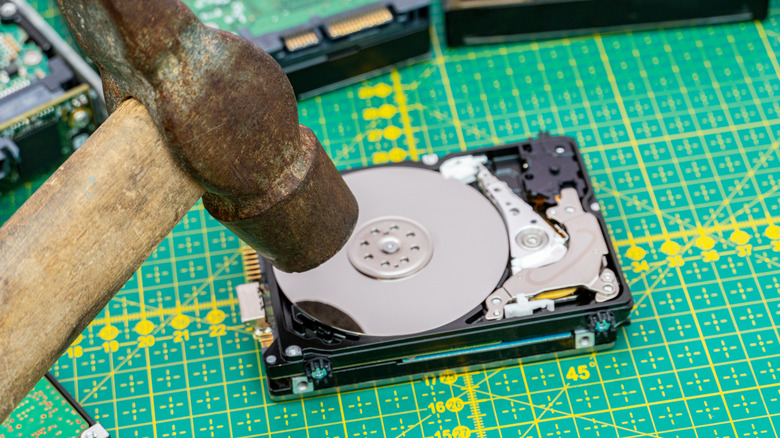

    A hammer destroying a hard drive.
    Vitalii Bezverkhii/Getty Images

    It’s worth noting that, even with a full wipe, formatting alone cannot guarantee that your data is unrecoverable. There are a few popular third-party utilities like DBAN and ShredOS that can perform overwrite passes to make data recovery difficult, but if you’re dealing with extremely sensitive data, physically destroying your drive before throwing it out remains the most secure option.

    Mechanical hard drives are fairly easy to destroy. Grab a hammer and a nail, and punch through the hard drive casing. This will damage the platters that hold your data. If you’re dealing with SSDs or flash drives, you might have to put in a little more effort. Start by cracking open the enclosure to expose the memory chips. These are black, rectangular chips soldered onto the circuit board. iFixit recommends using a chisel, Dremel or drill to damage each of these memory chips on your USB drive.

    Be extra careful when attempting to destroy any drive physically. Although HDDs and SSDs don’t contain any hazardous chemicals like batteries do, using tools to break them can send sharp metal and fiberglass fragments flying. With the drive safely wiped and destroyed, proceed to dispose of it. Many electronic retailers allow you to recycle your unwanted gadgets, or you can drop them off at a designated e-waste recycling facility.

    Share. Facebook Twitter Pinterest LinkedIn Tumblr Email Telegram Copy Link
    News Desk
    • Website

    News Desk is the dedicated editorial force behind News On Click. Comprised of experienced journalists, writers, and editors, our team is united by a shared passion for delivering high-quality, credible news to a global audience.

    Related Posts

    US Science & Tech

    Michael Polansky is training an AI model on skin that’s still alive

    August 22, 2026
    US Science & Tech

    Japanese space tech startup Letara expands beyond satellite thrusters with $16M

    August 22, 2026
    US Science & Tech

    Anthropic’s Opus 4.6 is a smut-machine

    August 21, 2026
    US Science & Tech

    How AI accounting startup Rillet raised $100M and became a unicorn in 48 hours

    August 21, 2026
    US Science & Tech

    TikTok Will Pay $400 Million To Settle Justice Department Lawsuit Over Child Privacy

    August 21, 2026
    US Science & Tech

    Take-Two Subpoenas Discord And Microsoft In Hunt For GTA VI Leaker

    August 21, 2026
    Add A Comment
    Leave A Reply Cancel Reply

    Don't Miss

    Hatch Green Chile Enchiladas | Mexican Please

    News DeskAugust 22, 20260

    Hatch Chile season is finally here so keep an eye out for these beauties!  And…

    Brandon Nakashima knocks off Taylor Fritz in Cincinnati quarterfinal

    August 22, 2026

    Australia vs Bangladesh 2026: Mackay Weather Forecast and Great Barrier Reef Arena Pitch Report for 2nd Test

    August 22, 2026

    This Week In Epic News: FTC Probe, AI Agents & More

    August 22, 2026
    Tech news by Newsonclick.com
    Top Posts

    Travel Leaders Network: Listening, evaluating and helping members meet their needs

    August 7, 2026

    Guest post by Lorne Fitch: 20 reasons Albertans should be concerned about conservation

    August 7, 2026

    SOUND FIST: ALEX WARREN – RESCUER

    August 9, 2026

    ‘The Bachelorette’ Star’s Wife Slammed Mocking Severe Disorder

    August 9, 2026
    Stay In Touch
    • Facebook
    • Twitter
    • Pinterest
    • Instagram
    • YouTube
    • Vimeo

    Subscribe to Updates

    Get the latest creative news from SmartMag about art & design.

    Editors Picks

    Hatch Green Chile Enchiladas | Mexican Please

    August 22, 2026

    Brandon Nakashima knocks off Taylor Fritz in Cincinnati quarterfinal

    August 22, 2026

    Australia vs Bangladesh 2026: Mackay Weather Forecast and Great Barrier Reef Arena Pitch Report for 2nd Test

    August 22, 2026

    This Week In Epic News: FTC Probe, AI Agents & More

    August 22, 2026
    About Us

    NewsOnClick.com is your reliable source for timely and accurate news. We are committed to delivering unbiased reporting across politics, sports, entertainment, technology, and more. Our mission is to keep you informed with credible, fact-checked content you can trust.

    We're social. Connect with us:

    Facebook X (Twitter) Instagram Pinterest YouTube
    Latest Posts

    Hatch Green Chile Enchiladas | Mexican Please

    August 22, 2026

    Brandon Nakashima knocks off Taylor Fritz in Cincinnati quarterfinal

    August 22, 2026

    Australia vs Bangladesh 2026: Mackay Weather Forecast and Great Barrier Reef Arena Pitch Report for 2nd Test

    August 22, 2026

    Subscribe to Updates

    Get the latest creative news from FooBar about art, design and business.

    Facebook X (Twitter) Instagram Pinterest
    • About Us
    • Editorial Policy
    • Privacy Policy
    • Terms and Conditions
    • Disclaimer
    • Advertise
    • Contact Us
    © 2026 Newsonclick.com || Designed & Powered by ❤️ Trustmomentum.com.

    Type above and press Enter to search. Press Esc to cancel.