
About a million years ago, or about 15 years ago if you’re over the age of 12, texting looked very different.
If you wanted to send a text message, you had to use the numbers on the phone — yes, the actual phone, not the screen — to type. Each number would have three to four letters that could be typed or cycled through with multiple presses. T9 keypads were used for all communication, not just popping up when you decide to actually call your mom instead of texting back “k” for the millionth time. What made T9 really useful, however, was its ability to predict what users were typing.
Now that prediction ability has been reimagined and turned into Key Launcher. Key Launcher aims to simplify the home screen by taking away the keyboard and turning it into a modernized T9 keypad.
Unlike dumbphones, the Key Launcher’s home screen keypad has full menu navigation functionality. Key Launcher uses the keypad to allow users to search for and organize apps, create and execute actions, and the launcher learns user habits to help them find things elsewhere.
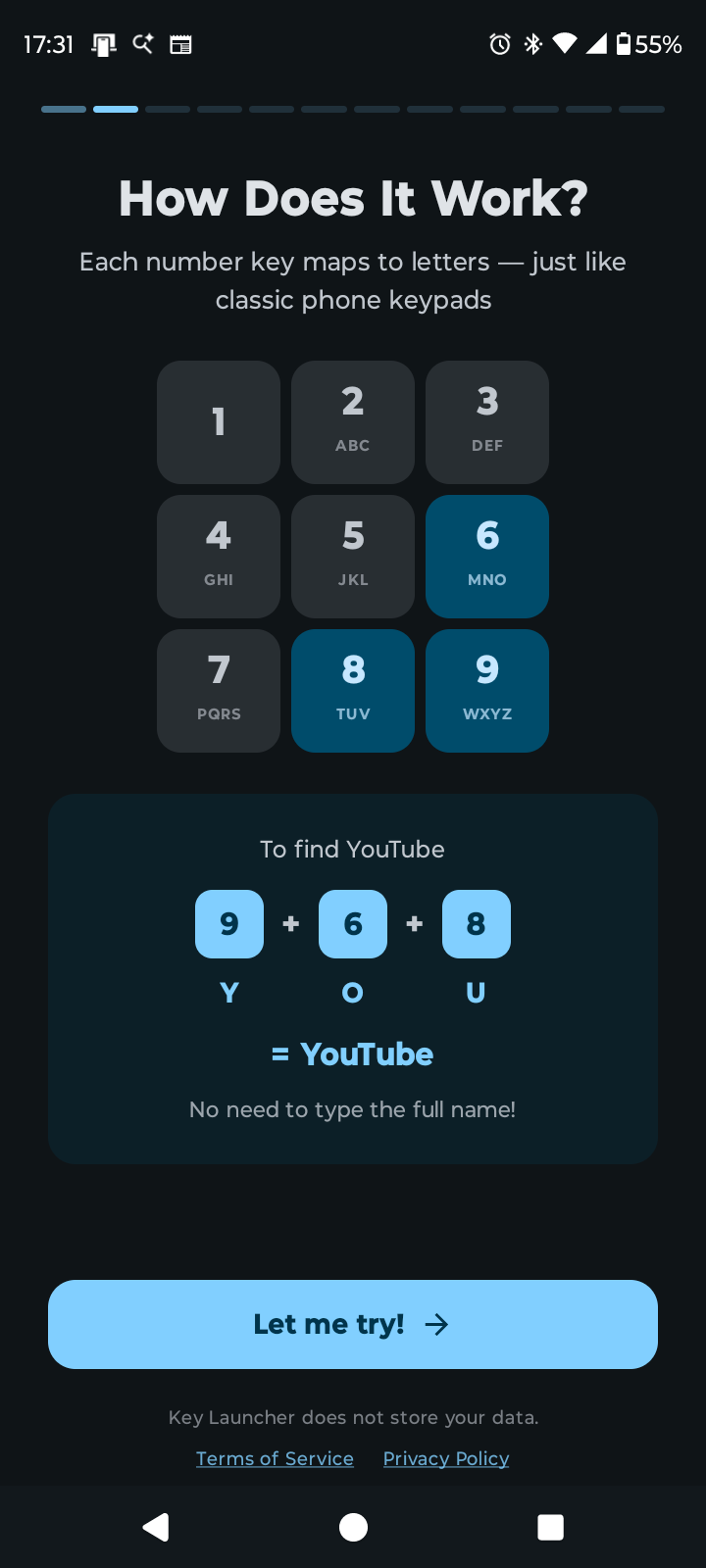
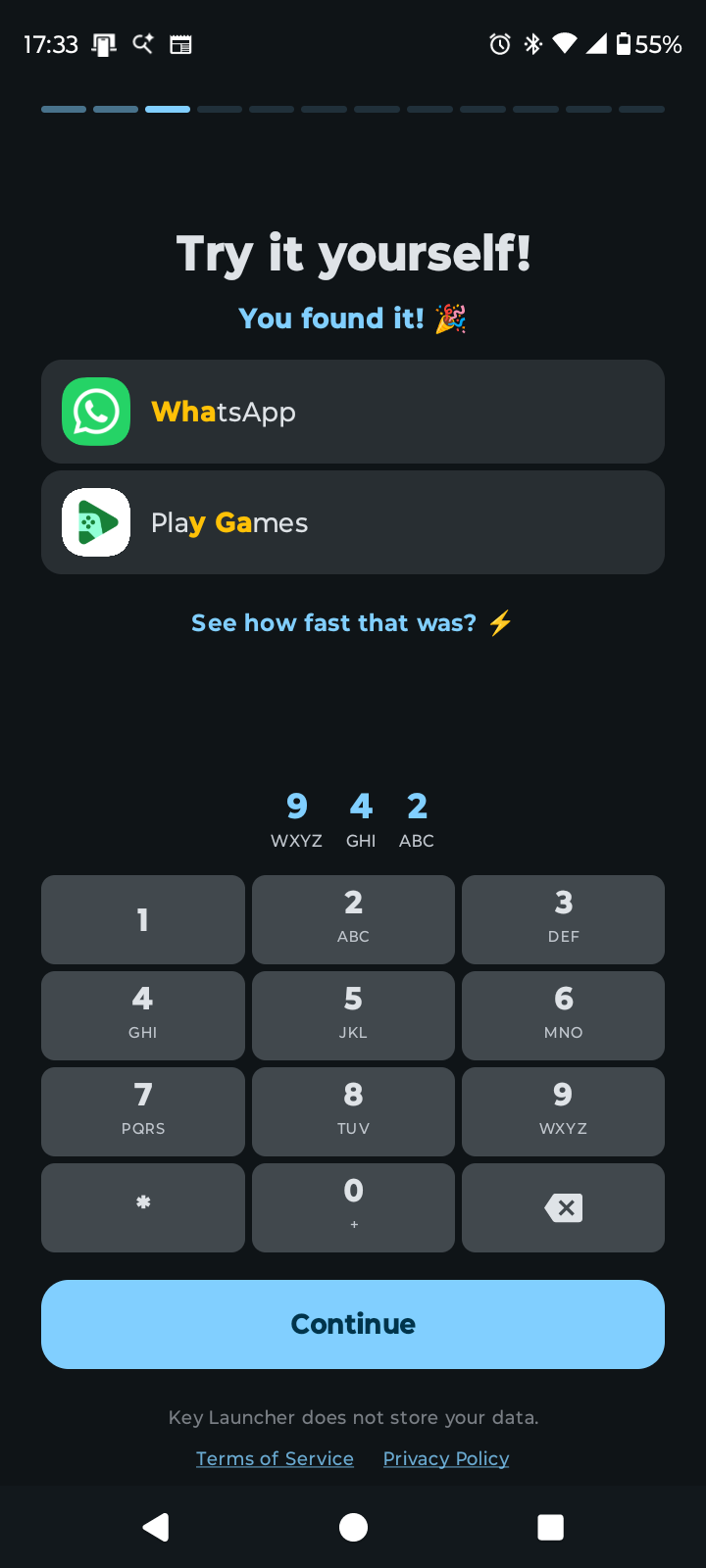
Having had the chance to try it out over the past couple of days, there are definitely some features to love about it. First and foremost, the app has a step-by-step tutorial on how to use it. The app guides users every step of the way through setup and understanding its systems.
When testing the launcher out, I was initially concerned it was going to be clunky, unintuitive and inefficient to learn, especially as I never grew up with T9. I was proven wrong, partially due to the tutorial, but also because of just how much functionality could be crammed into the keypad. Apps and contacts could be accessed just by pressing two or three numbers, with the system prioritizing apps I use frequently.
For those who use a lot of widgets, Key Launcher comes with a side panel where widgets can be created for your most-used apps. It can be accessed by swiping left on the keypad.
One key feature that I found really optimized my most common tasks was the super shortcuts. Key Launcher lets users program three buttons — or nine for those who get the premium plan — with quick actions. Holding the button lets you instantly do the action, as opposed to searching.
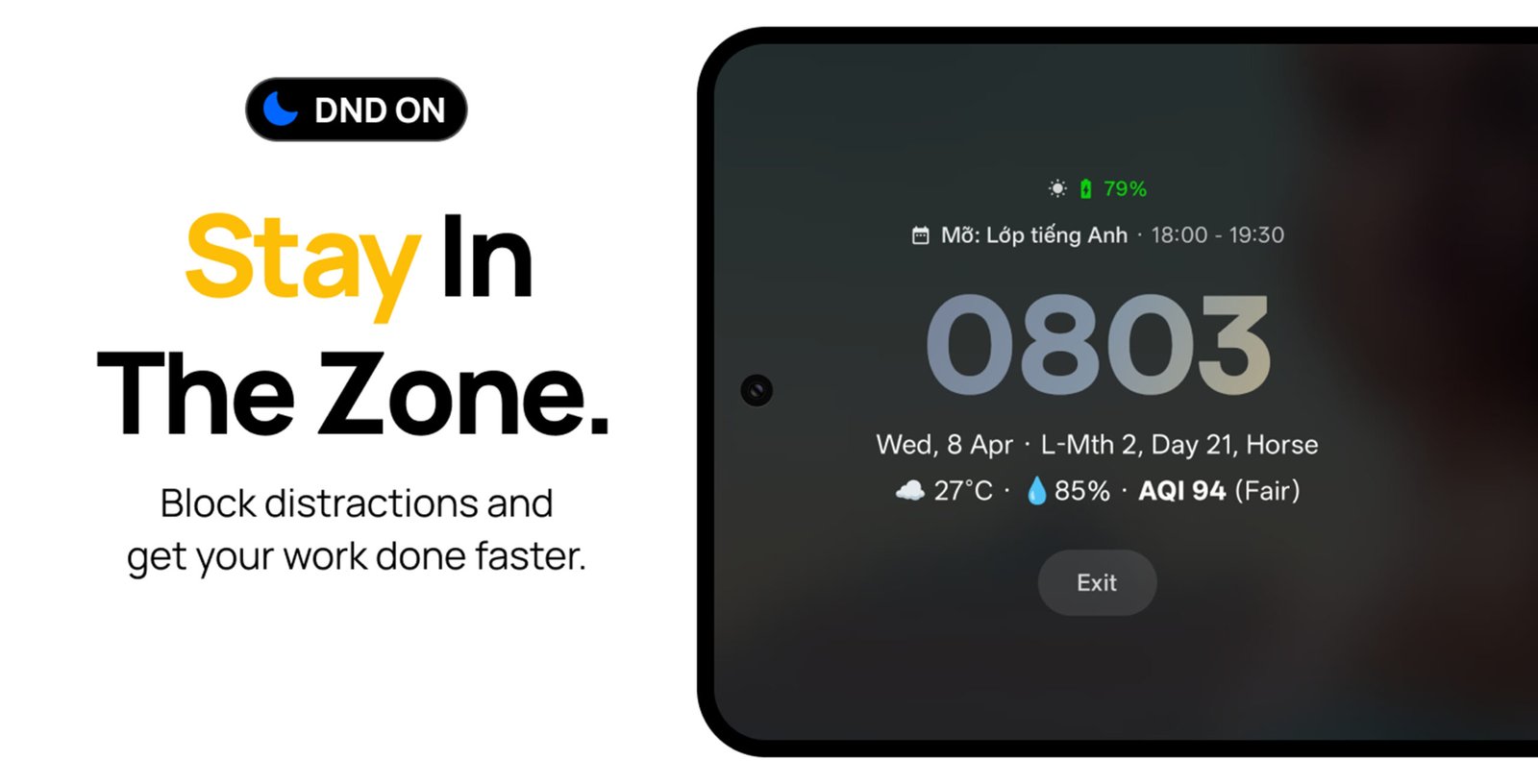
For example, holding 0 takes users to Focus Mode. Most features get stripped back, letting the user choose between a calendar, larger music player, a break timer and a quick jump session with everybody’s favourite offline dinosaur game.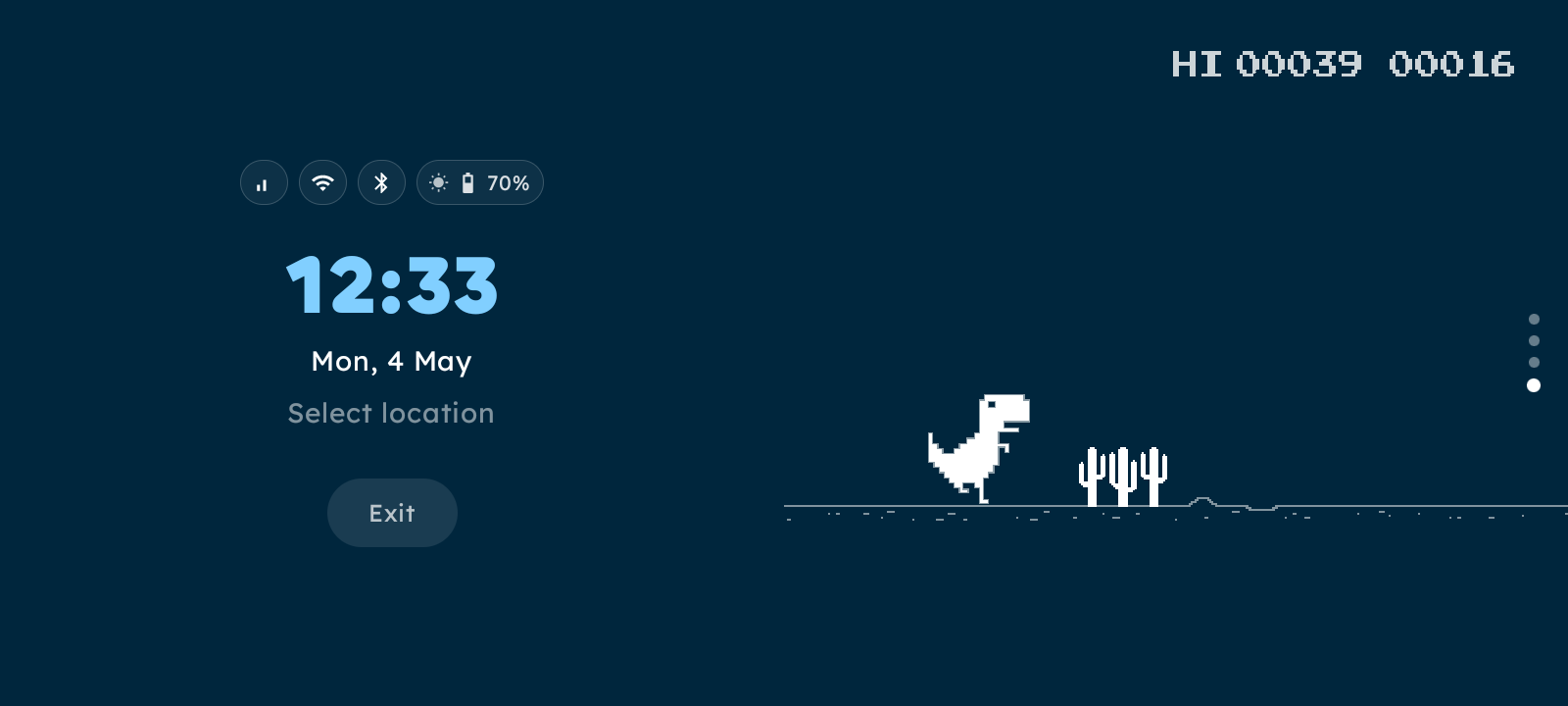
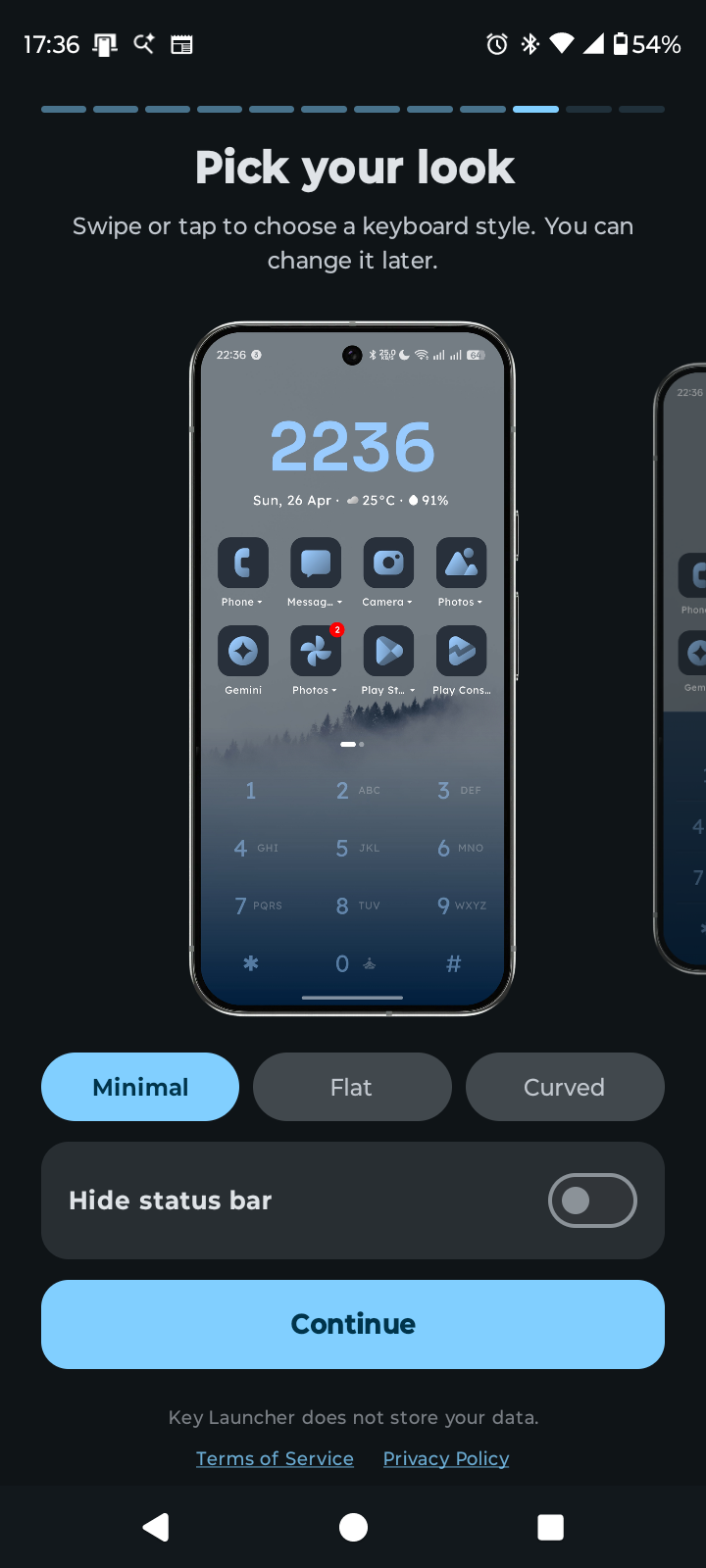
In addition to focus mode, Key Launcher comes with a signature desaturated app logo for commonly used apps like Chrome, Instagram and WhatsApp. The app, focus mode and keypad colours are subtle, with a similar effect to greyscale, which has been proven in multiple studies to reduce screentime.
Key Launcher’s simple tech results in a launcher experience that is streamlined and cuts down on time wasted on the main screen. The free version is available on the Google Play Store and provides a base-level experience of what the launcher has to offer: streamlined app searching through the keypad, three super shortcuts, access to a 30-day trial of focus mode and a launcher that allows users to find any app without digging through menus and scrolling across pages.
The pro version can be purchased in-app and costs C$7.90 annually or C$15.81 for the lifetime plan. It adds on to the features included in the free version, expanding on them to infinite super shortcuts, custom icon packs, backups and unlimited access to focus mode and synced lyrics for music platforms.
Image Credit: Google Play Store
