
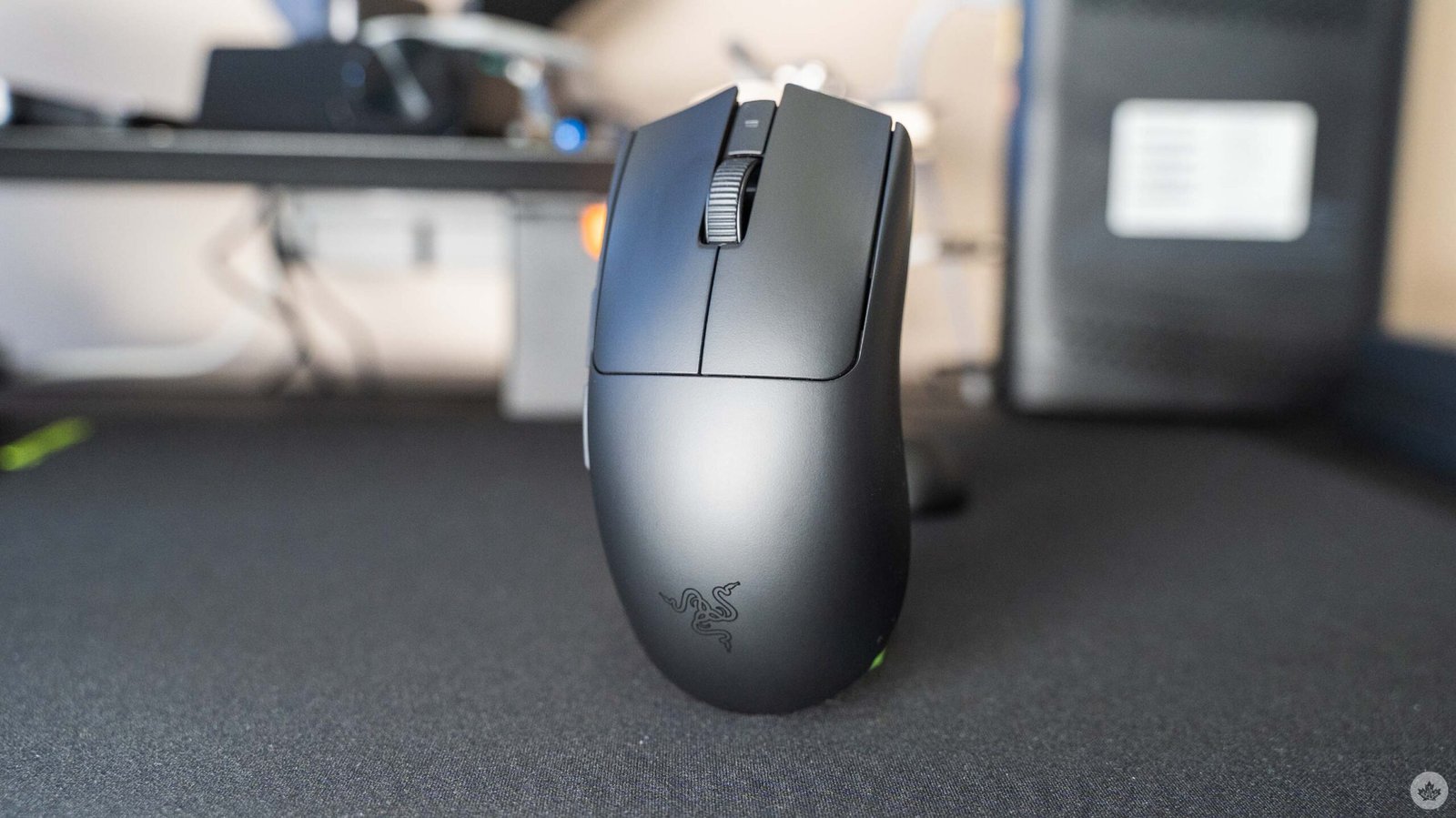
At a glance, you probably wouldn’t be able to tell Razer’s new Viper V4 Pro mouse apart from the Viper V3 Hyperspeed and V3 Pro. But while they might look similar on the outside, Razer upgraded the internals in some notable ways.
Upgrades include much longer battery life at up to 180 hours at 1,000Hz polling, nearly double the V3 Pro’s 95 hours. At 8,000Hz polling, the Viper V4 boasts 45 hours compared to the V3’s meagre 17. And not only did Razer up the battery life, it also shaved off a few grams of weight, bringing the V4 Pro down to 49g (50g for the white version) from 54g (55g for white).
Although the weight difference might not seem like much on paper, the Viper V4 Pro is impressively light, making it feel excellent while gaming. In a word, I’d call it ‘snappy.’ Razer’s marketing quotes pro League of Legends player Faker as saying the Viper V4 Pro “feels like an extension of my hand,” and I’d echo that sentiment. The weight makes it so I barely notice the mouse when using it.
My thoughts here might be a bit skewed since I’ve been using Razer’s Pro Click V2 Vertical mouse for a while now — the vertical form factor is significantly more comfortable for me over longer playing sessions. However, the V2 Vertical weighs in at a whopping 138g, so the Viper V4 Pro felt practically nonexistent by comparison.
As much as I liked how light the Viper was, I still found myself preferring the vertical form factor for its added comfort. The ideal for me would be a Viper V4 Vertical that combines the more ergonomic form factor with the benefits of the Viper line. Still, in short stints, I quite enjoyed gaming with the Viper V4 Pro.
Another change Razer made with the Viper V4 Pro isn’t even with the mouse — it’s actually with the dongle. The Viper V4 Pro ships with Razer’s HyperSpeed Wireless Gen-2 dongle, which sports a new ‘hemisphere’ design and real-time status LEDs. Razer says the new hemisphere design makes the dongle more stable and provides more room for a taller antenna, boosting wireless performance.
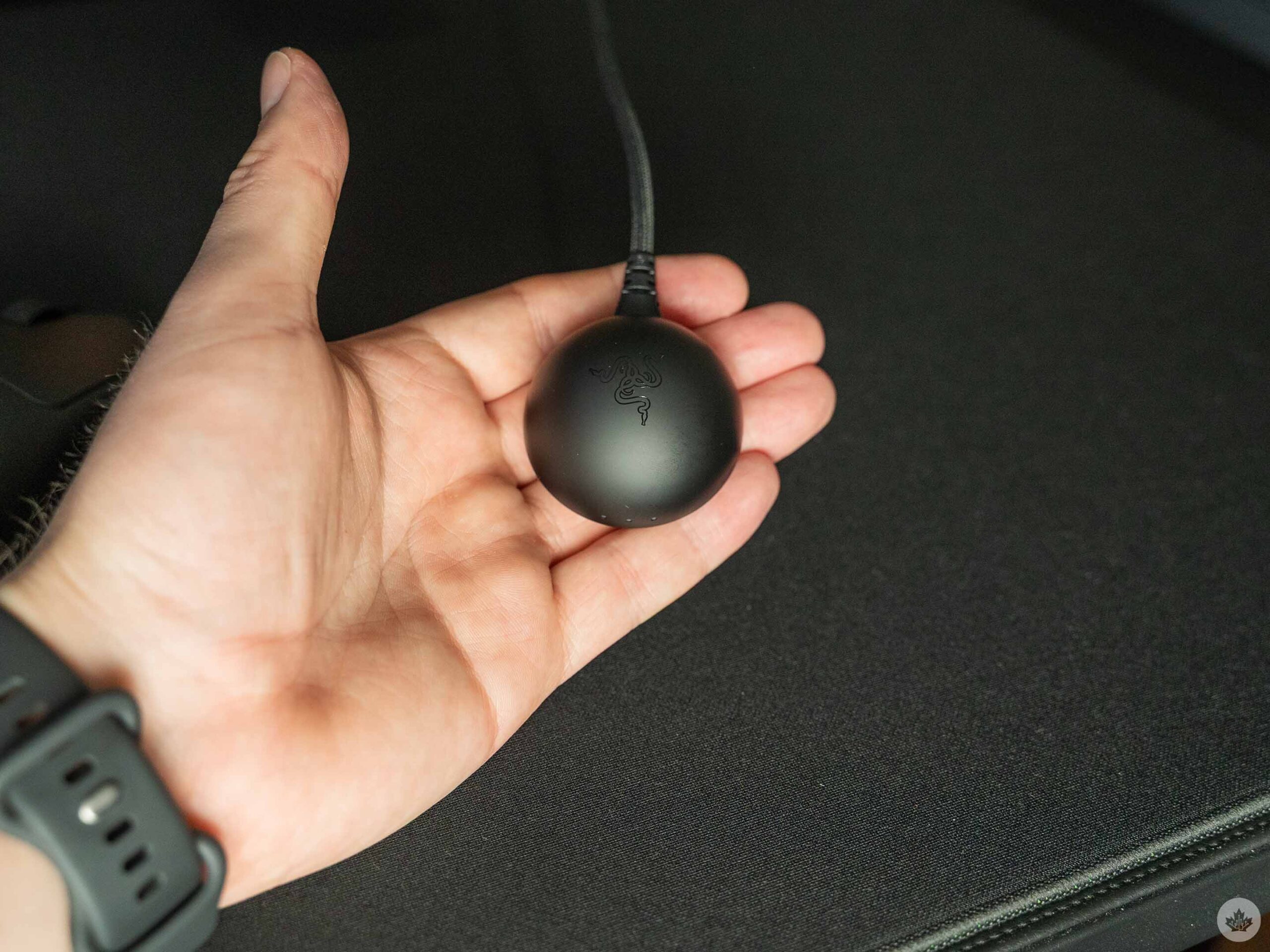
Plus, the status LEDs let you see at a glance the connection status, battery life, and polling rate. I particularly like the status lights since it saves me having to dive into Razer’s Synapse app to check the battery life, as I do with some of the company’s other peripherals. Speaking of Synapse, you can finally skip installing the software if you want. Razer now offers a web version — kind of like what Keychron does with its keyboards — so you can tweak your mouse settings without installing anything.
Other features of the Viper V4 Pro include Razer’s third-gen Focus Pro 50K Optical Sensor, which is more accurate and power-efficient than previous sensors. Couple that with Razer’s HyperPolling tech, which allows for more efficient processing of updates from the mouse to the PC, and Razer says you can get a true 8000Hz polling rate experience.
While that might matter for some, it’s worth pointing out that 8,000Hz polling rates don’t make much of a difference for most people. To put it in perspective, a 1,000Hz polling rate means your mouse reports to your PC 1,000 times every second, giving you a maximum input delay of about 1ms. A 2,000Hz polling rate cuts that to 0.5ms, 4,000 is 0.25ms, and 8,000Hz drops it to just 0.125ms.
On paper, that sounds really good, but in practice, it falls apart because the other hardware in your setup creates greater delays. For example, a 60Hz display updates roughly every 16ms, while a 144Hz display updates roughly every 7ms. A 1,000Hz polling rate is already much faster than typical displays, so pushing up to 8,000Hz ultimately doesn’t give much benefit, and in some cases can actually cause performance issues since your computer’s CPU will need to do more processing to handle all the updates from your mouse. While it might make a difference for e-sports professionals, most people are better off with a lower polling rate.
Marketing gimmicks aside, the Viper V4 Pro is a fantastic mouse that trades external fluff for a focused experience. There’s no fancy ergonomics (for better and worse), no RGB — it’s nothing but mouse. And that’s all it needs to be. If you’re looking for a simple, high-performance gaming mouse, this is the one to get.
Gigantus mousepad offers different ‘speeds’ for mouse control
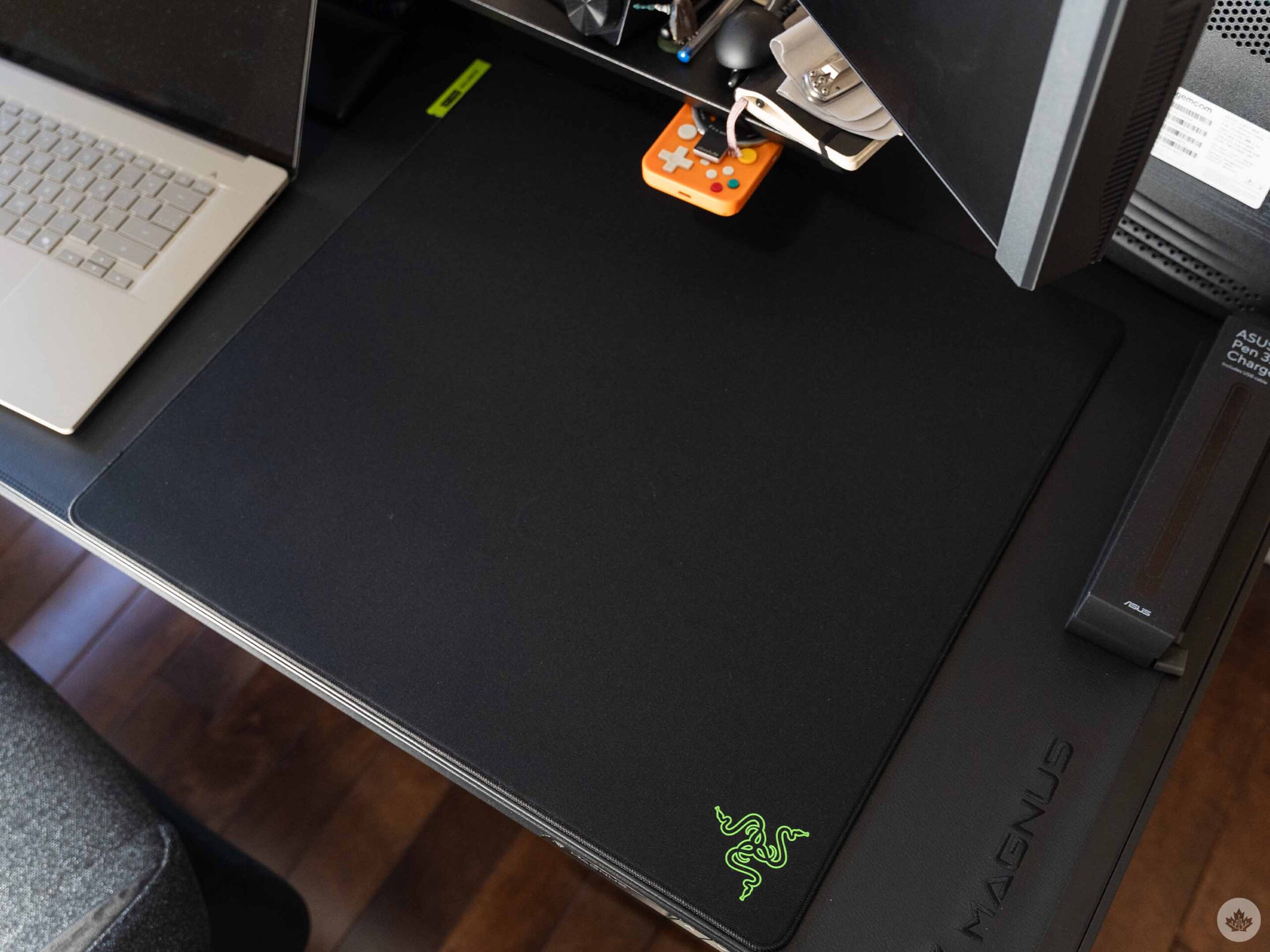
Alongside the Viper V4 Pro, Razer also launched its Gigantus V2 Pro mouse pad, which I also got to try out. I typically wouldn’t have a ton to say about a mousepad, but the Gigantus V2 Pro does something unique that I think deserves a mention.
Razer offers five ‘speed ratings’ for the mouse pad, which have subtle differences in the material and construction that impact how your mouse moves across the pad. For example, if you want more control in your mouse movements, Razer offers a version of the mousepad that uses softer foam, giving you more cushion compared to the hard foam used for its speed mousepad. Razer says the harder foam provides a quicker feel, enabling faster movements. The five ratings are as follows:
- Max Control – Highest friction for slower, deliberate movements.
- Control – High friction for steadier, more controlled movements.
- Balance – Medium friction for a mix of precision and speed.
- Speed – Lower friction for fast movements.
- Max Speed – Lowest friction for effortless gliding.
At first, I was pretty skeptical, but after trying out two of the Gigantus V2 Pro pads, there is definitely a difference, albeit small. Granted, Razer sent me the Control and Balance pads, which are pretty close together on the rating scale, so maybe the difference between those two isn’t as noticeable as Max Control and Max Speed would be.
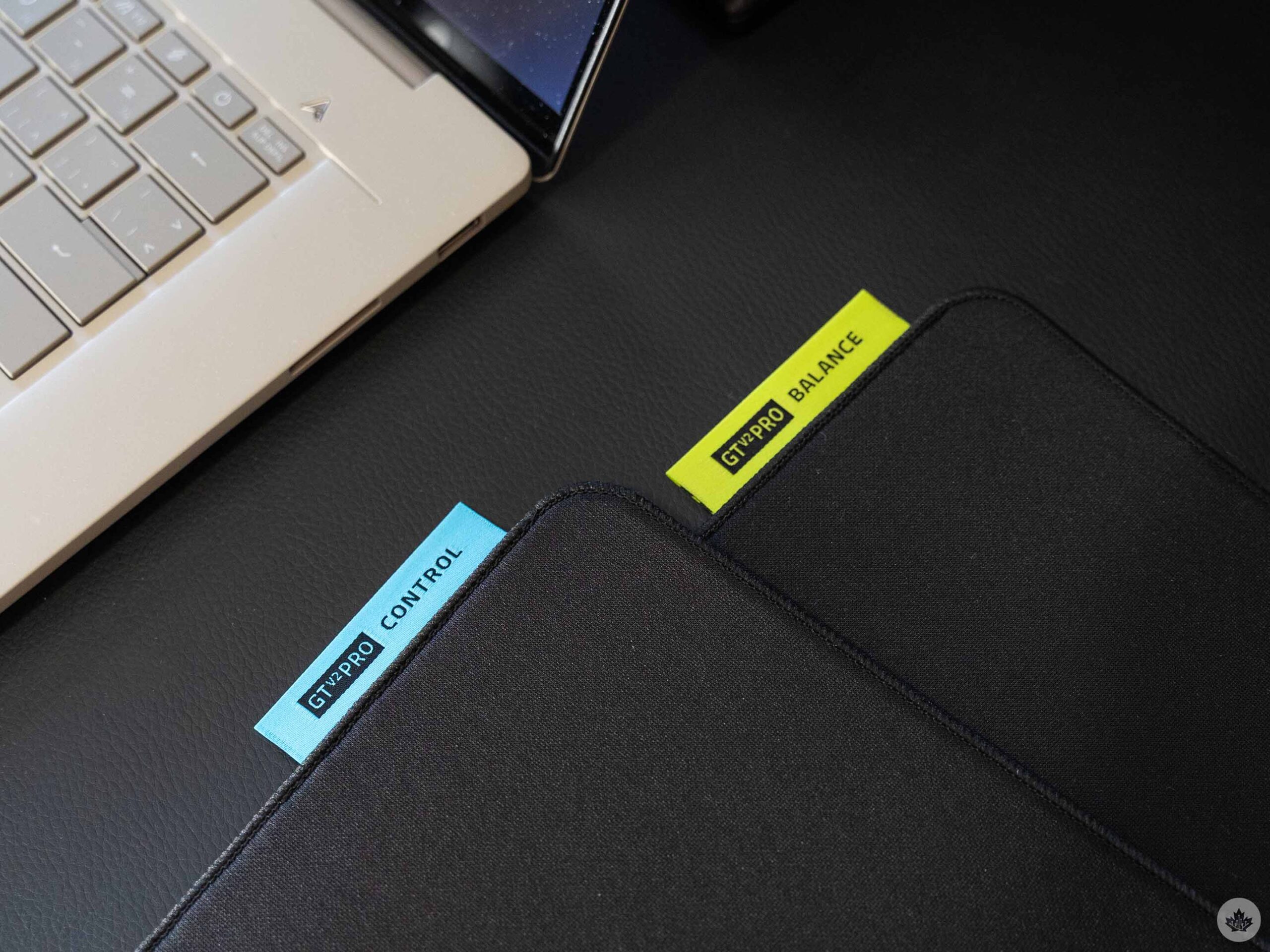
Despite that, in back-to-back tests, there was a perceptible difference between Control and Balance. I ultimately preferred Balance, which allowed me to more quickly snap the mouse when I needed to make quick adjustments. The Control pad felt slower, but enabled more precise movements.
I’d recommend the Gigantus V2 Pro mousepad because it’s pretty great overall, but the tricky part is figuring out which version to get. You can make a guess about which speed rating will work best for you, but I think the best thing is to try it out yourself if you can find a place with the mousepads.
The Razer V4 Pro mouse is available in black or white for $229.99 in Canada, while the Gigantus V2 Pro mousepad costs $69.99 for each of the speed ratings. There’s also a special ‘NiKo Edition’ that costs an extra $25 but features a unique design.
