Close Menu

    Subscribe to Updates

    Get the latest creative news from FooBar about art, design and business.

    What's Hot

    Chicago Fire: Season 15; Matthew Daddario Joins NBC First-Responder Series – canceled + renewed TV shows, ratings

    August 23, 2026

    Report, result and goals as Gvardiol wins it late

    August 23, 2026

    Trump says Canada wants ‘benefit’ of U.S. state without being one as trade war escalates – National

    August 23, 2026
    Facebook X (Twitter) Instagram
    Select Language
    Facebook X (Twitter) Instagram
    NEWS ON CLICK
    Subscribe
    Sunday, August 23
    • Home
      • United States
      • Canada
      • Spain
      • Mexico
    • Top Countries
      • Canada
      • Mexico
      • Spain
      • United States
    • Politics
    • Business
    • Entertainment
    • Fashion
    • Health
    • Science
    • Sports
    • Travel
    NEWS ON CLICK
    Home»Science & Technology»US Science & Tech»Turn On These Settings To Protect Your Android Phone From Theft
    US Science & Tech

    Turn On These Settings To Protect Your Android Phone From Theft

    News DeskBy News DeskAugust 16, 2026No Comments4 Mins Read
    Share Facebook Twitter Pinterest Copy Link LinkedIn Tumblr Email VKontakte Telegram
    Turn On These Settings To Protect Your Android Phone From Theft
    Share
    Facebook Twitter Pinterest Email Copy Link

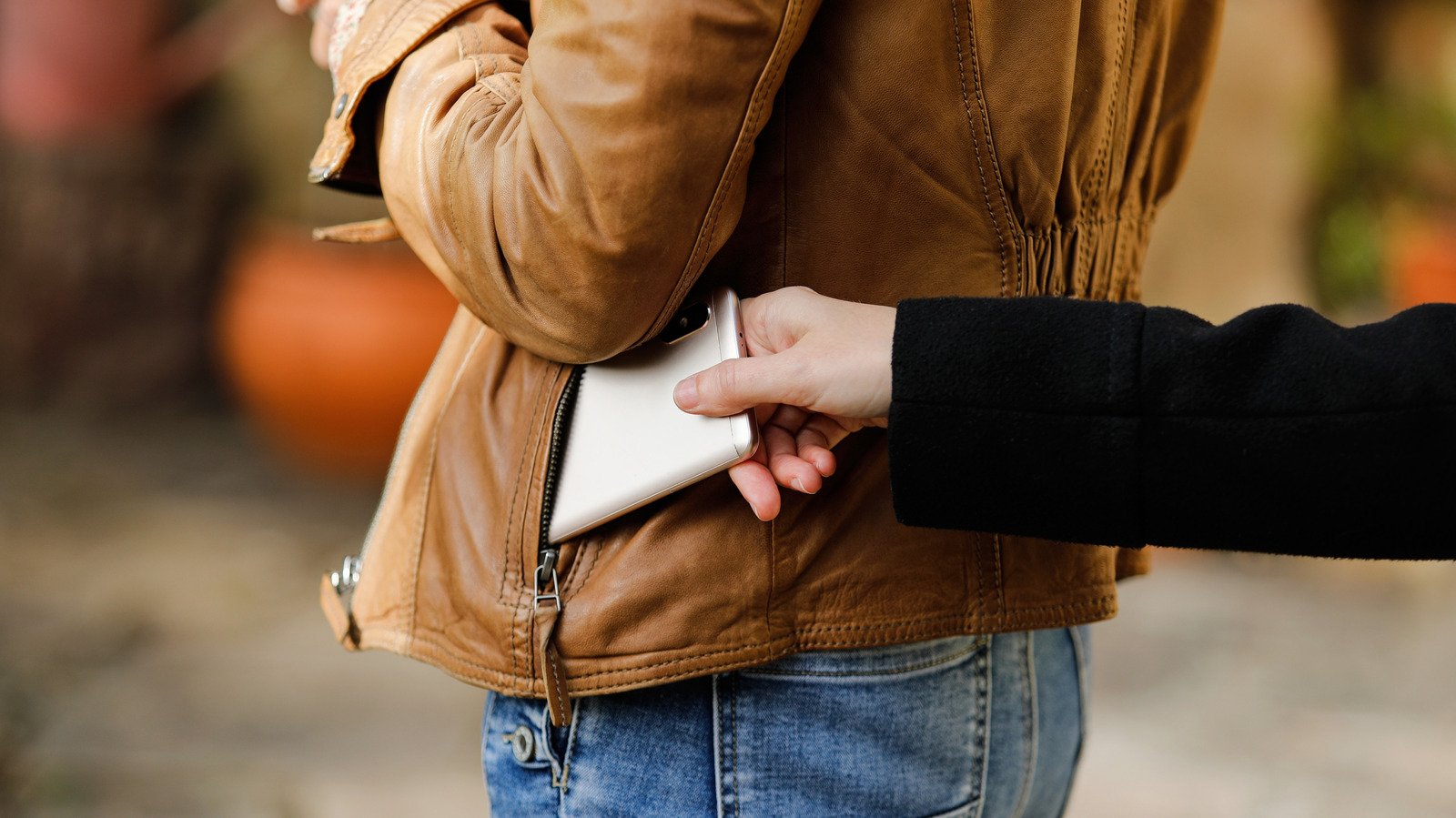
    Google has added some smart theft-detection features to Android in recent years.


    Alejandro J. Vivas/Shutterstock

    For years, Android anti-theft protection was more reactionary than proactive. Users are all too familiar with traditional warnings and protocols, like shielding your phone when entering your PIN, utilizing location services and avoiding easily guessed passwords. Fortunately, anti-theft tools are finally getting better at preventing theft with the help of AI and Google’s built-in Theft Protection suite. 

    If your phone is snatched out of your hand, for instance, new motion-sensing theft detection will quickly lock it down. If a thief kills your connection by pulling your SIM card or switching to Airplane Mode, the Offline Device Lock feature triggers a countdown, locking the screen in short order. These are nifty new features that avoid annoying false positives with usage limitations and active use checks.

    Even better, you don’t have to dig deep into your device settings to find and activate theft protection measures. As long as your device is running Android 10 or newer, the feature is bundled into Google Play Services. Keep in mind that some entry-level or budget smartphones running Android Go Edition with low RAM, Android tablets and devices lacking the full range of Google Play Services may not have some or all of Google’s security suite features.

    How to Enable Anti-Theft Features On Android?

    The primary settings to look for are under Google’s Theft Protection menu. Settings menus aren’t universal with Android phones, so there may be a degree of variation between devices. For Samsung users, the order is typically Settings → Security and Privacy → Lost Device Protection → Theft Protection.

    Google Pixel phones are similar, but slightly different: Settings → Security & Privacy → Device Unlock → Theft Protection. The most prominent feature is Theft Detection Lock, and it’s best to start there. This uses motion and sudden disconnection indicators (like your phone being snatched and moved quickly) to lock down your phone screen automatically. After you turn it on and confirm, your device will now respond to aggressive or sudden movement.

    Next, enable Offline Device Lock so your screen stays protected if a thief disables your mobile data or Wi-Fi by switching Airplane Mode on. The lock will kick in shortly after disconnect and doesn’t require a local connection to do so. Last but not least, set up Remote Lock. This lets you lock your phone from anywhere by visiting android.com/lock, entering your phone number and following the prompts. Google’s Find Hub app is no longer your sole fallback option, and Remote Lock works even if the thief moves the phone to another network.

    How Can You Prevent Thieves from Turning Off Your Device?


    Misplaced smartphone left behind in the refrigerator.
    photoschmidt/Shutterstock

    You’ll never fully take advantage of the Theft Protection features if you don’t use a PIN, biometrics and a more complicated password than your first name. Besides, Google explicitly requires a screen lock for Identity Check and other device-protection tools, so you may as well set it up properly. On Pixels and newer Android phones, Identity Check can periodically re-verify using your biometrics or PIN, especially when you’re off your regular beaten path and away from work or home.

    Enable Theft Detection Lock and Offline Device Lock so your phone auto-locks and remains that way, even if the thief yanks it offline. If they try to power it down or keep it in Airplane Mode, your data remains secure behind the screen lock, completely shielded. On Samsung Galaxy phones, there is a dedicated Theft Protection page that ties into Samsung’s own lost-device tools as well.

    Make sure Remote Lock is enabled and your phone number is verified, so you can lock your phone down from any browser the moment you realize your phone is gone and you didn’t leave it on top of the car or inside the refrigerator. Hey, it happens.

    Share. Facebook Twitter Pinterest LinkedIn Tumblr Email Telegram Copy Link
    News Desk
    • Website

    News Desk is the dedicated editorial force behind News On Click. Comprised of experienced journalists, writers, and editors, our team is united by a shared passion for delivering high-quality, credible news to a global audience.

    Related Posts

    US Science & Tech

    Is it legal to train AI models on copyrighted books? It’s complicated

    August 23, 2026
    US Science & Tech

    The Reasons Siri May Not Work On CarPlay

    August 23, 2026
    US Science & Tech

    What To Try When An Android App Keeps Crashing

    August 23, 2026
    US Science & Tech

    Two years after launch, Walmart’s Flipkart is closing in on India’s quick-commerce leaders

    August 23, 2026
    US Science & Tech

    Harvard’s $699 startup bootcamp offers AI avatars of its instructors

    August 22, 2026
    US Science & Tech

    If Waymo Cars Are Level 4 Automation, What Does It Take To Be A Level 5?

    August 22, 2026
    Add A Comment
    Leave A Reply Cancel Reply

    Don't Miss

    Chicago Fire: Season 15; Matthew Daddario Joins NBC First-Responder Series – canceled + renewed TV shows, ratings

    News DeskAugust 23, 20260

    by Regina Avalos, August 23, 2026(Freeform) Chicago Fire has added a former Shadowhunter to its…

    Report, result and goals as Gvardiol wins it late

    August 23, 2026

    Trump says Canada wants ‘benefit’ of U.S. state without being one as trade war escalates – National

    August 23, 2026

    Shoriful Islam scripts history with record-breaking spell against Australia in Mackay Test

    August 23, 2026
    Tech news by Newsonclick.com
    Top Posts

    Enrique Serna, author: ‘As a child, I had nightmares about being taken to the sacrificial stone’ | Culture

    August 23, 2026

    SOUND FIST: ALEX WARREN – RESCUER

    August 9, 2026

    ‘The Bachelorette’ Star’s Wife Slammed Mocking Severe Disorder

    August 9, 2026

    Timothée Chalamet Absent From Kylie Jenner’s Birthday Bash

    August 9, 2026
    Stay In Touch
    • Facebook
    • Twitter
    • Pinterest
    • Instagram
    • YouTube
    • Vimeo

    Subscribe to Updates

    Get the latest creative news from SmartMag about art & design.

    Editors Picks

    Chicago Fire: Season 15; Matthew Daddario Joins NBC First-Responder Series – canceled + renewed TV shows, ratings

    August 23, 2026

    Report, result and goals as Gvardiol wins it late

    August 23, 2026

    Trump says Canada wants ‘benefit’ of U.S. state without being one as trade war escalates – National

    August 23, 2026

    Shoriful Islam scripts history with record-breaking spell against Australia in Mackay Test

    August 23, 2026
    About Us

    NewsOnClick.com is your reliable source for timely and accurate news. We are committed to delivering unbiased reporting across politics, sports, entertainment, technology, and more. Our mission is to keep you informed with credible, fact-checked content you can trust.

    We're social. Connect with us:

    Facebook X (Twitter) Instagram Pinterest YouTube
    Latest Posts

    Chicago Fire: Season 15; Matthew Daddario Joins NBC First-Responder Series – canceled + renewed TV shows, ratings

    August 23, 2026

    Report, result and goals as Gvardiol wins it late

    August 23, 2026

    Trump says Canada wants ‘benefit’ of U.S. state without being one as trade war escalates – National

    August 23, 2026

    Subscribe to Updates

    Get the latest creative news from FooBar about art, design and business.

    Facebook X (Twitter) Instagram Pinterest
    • About Us
    • Editorial Policy
    • Privacy Policy
    • Terms and Conditions
    • Disclaimer
    • Advertise
    • Contact Us
    © 2026 Newsonclick.com || Designed & Powered by ❤️ Trustmomentum.com.

    Type above and press Enter to search. Press Esc to cancel.